A CRM for real estate investors, inside the tool that finds the leads.

Every lead in a list with its status and your notes. Every real deal on a board with stages you name. All of it beside the search and skip tracing that fill it, for $65 a month.

Start your free trial

$0 due today. 25 free skip traces included in your trial.

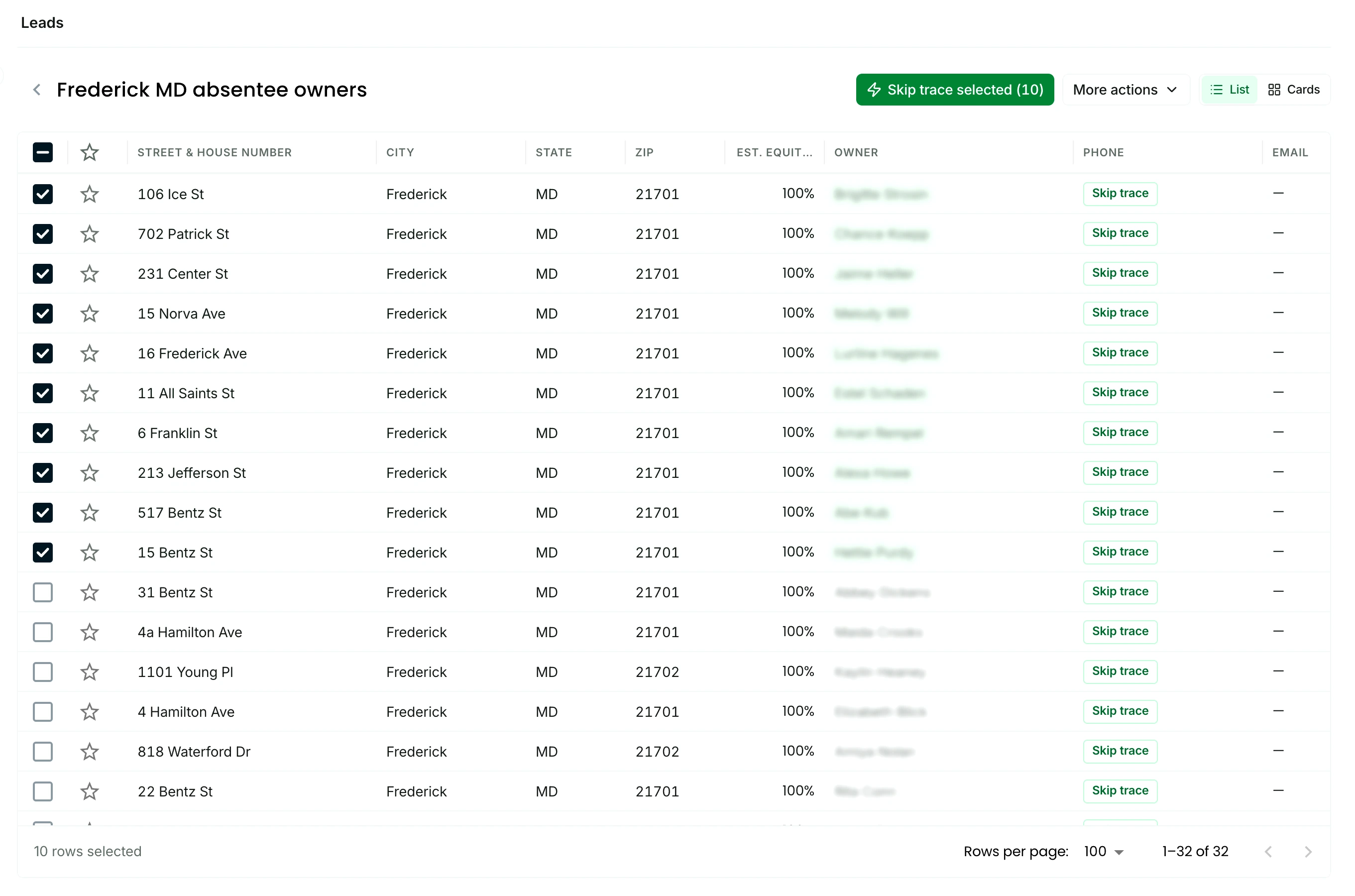
A saved lead list in The Invest Nest named Frederick MD absentee owners: one row per property with a star, the street address, city, state, ZIP, and estimated equity, the first rows ticked

What a CRM is for

An investor needs three things from a CRM.

The three things you use between the first call and the closing table.

A home for every lead

The address, the owner, the phone numbers, and the search or list it came from, in one row you can find again next month.

Where it stands and what was said

A status you set after each call and a note you read before the next one, so a lead never gets called twice or forgotten.

The real deals, moving to close

A board where a deal goes from first offer to under contract, with the numbers one click away while you negotiate.

All three need the property's data and the owner's number beside them, and those come from the search and the skip trace. In The Invest Nest they are one screen, so nothing gets exported from one tool and pasted into another.

Lead lists

Lists with status and notes: every lead, where it stands, what was said

Save a search to a list, or upload the one you keep, and work it row by row.

Star the owners worth chasing, set the lead's status right in the row, and leave a note on the record after each call. Tick several rows to change their status together or move them to another list.

See lead lists
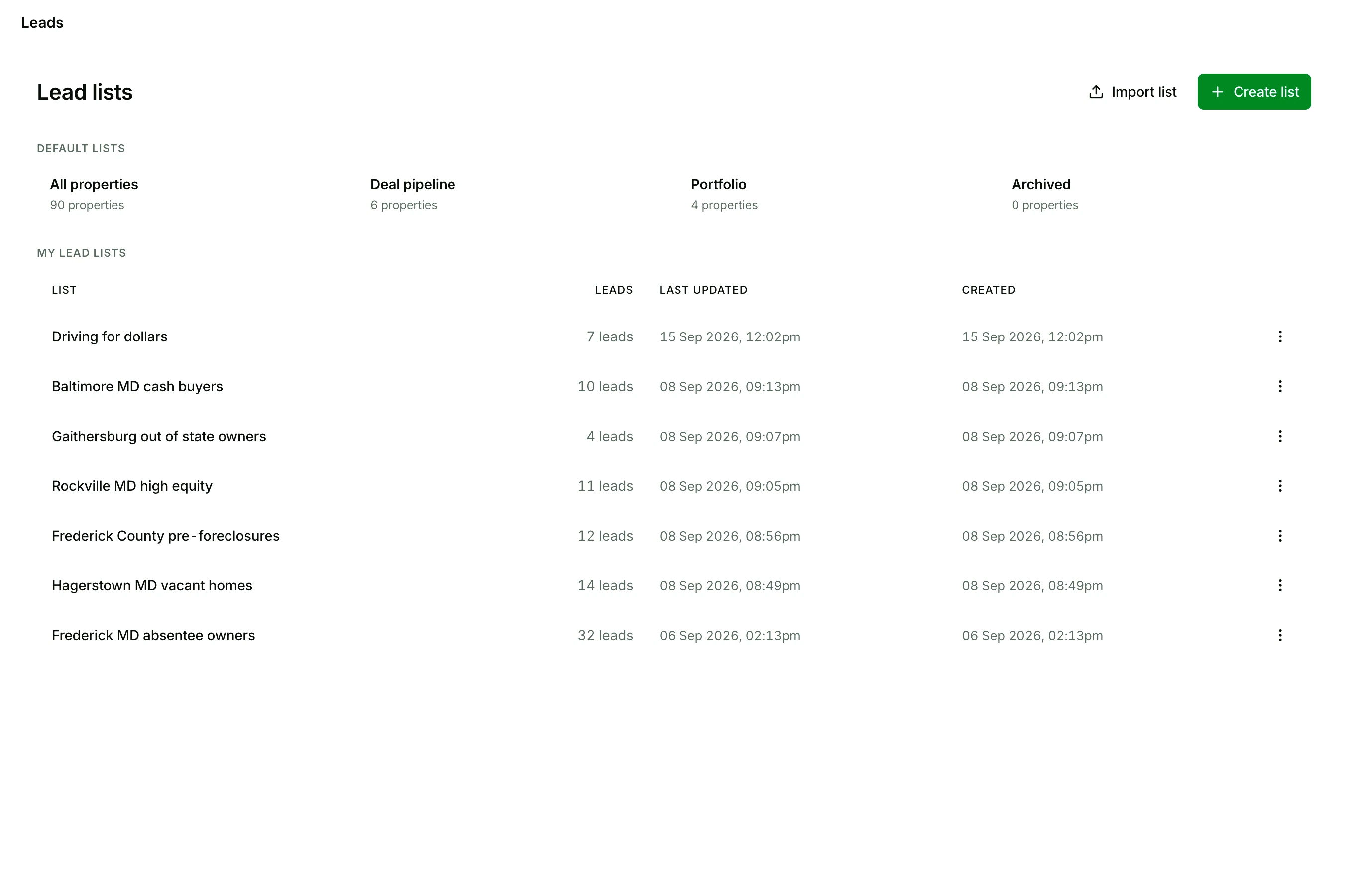
The Lead lists page in The Invest Nest: a list named Driving for dollars, then six named for their market, from Baltimore MD cash buyers to Frederick MD absentee owners, each with its lead count and when it was last updated

Lead status

  1. Not contacted
  2. Contact attempted
  3. Contacted

then one of

  • Not interested
  • Add to pipeline
  • Close deal

Add to pipeline puts the lead on your deal board.

Deal pipeline

A pipeline with stages you name, from first offer to closed

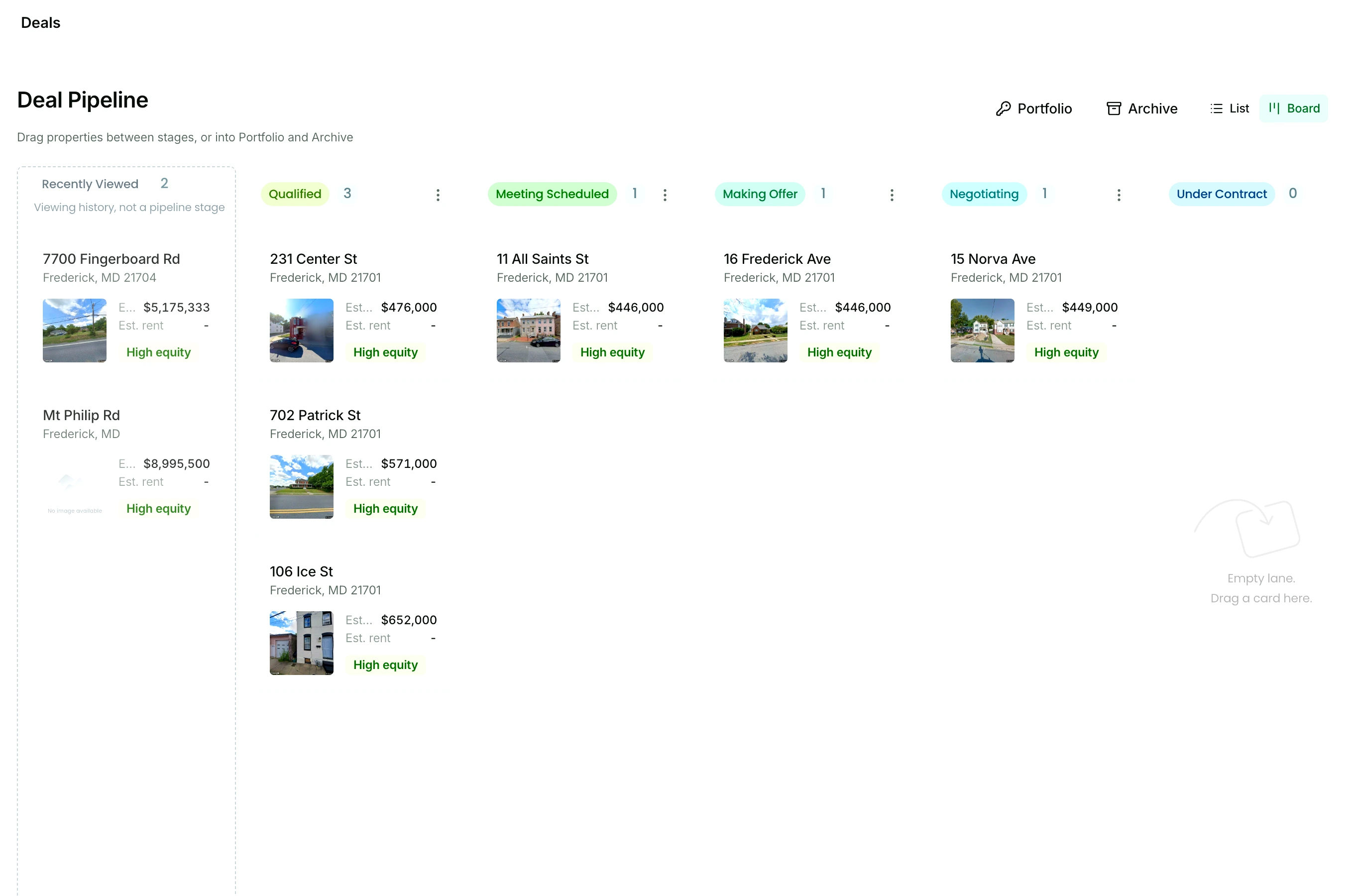
When a lead turns into a deal, add it to the pipeline and drag and drop it from stage to stage as it moves.

The first stage is where every deal lands, so it stays first, and the stages after it are yours to rename, add, move, or delete until the board reads like your own process: a wholesale flow, a flip timeline, a BRRRR sequence. Closed deals go to your portfolio and dead ones to the archive, so the history stays.

See the deal pipeline
The deal pipeline board: named stages with a count on each, and property cards sitting in them with the photo, the address, the estimated value, and a High equity badge

The record

Every lead opens its full record, with your notes on it

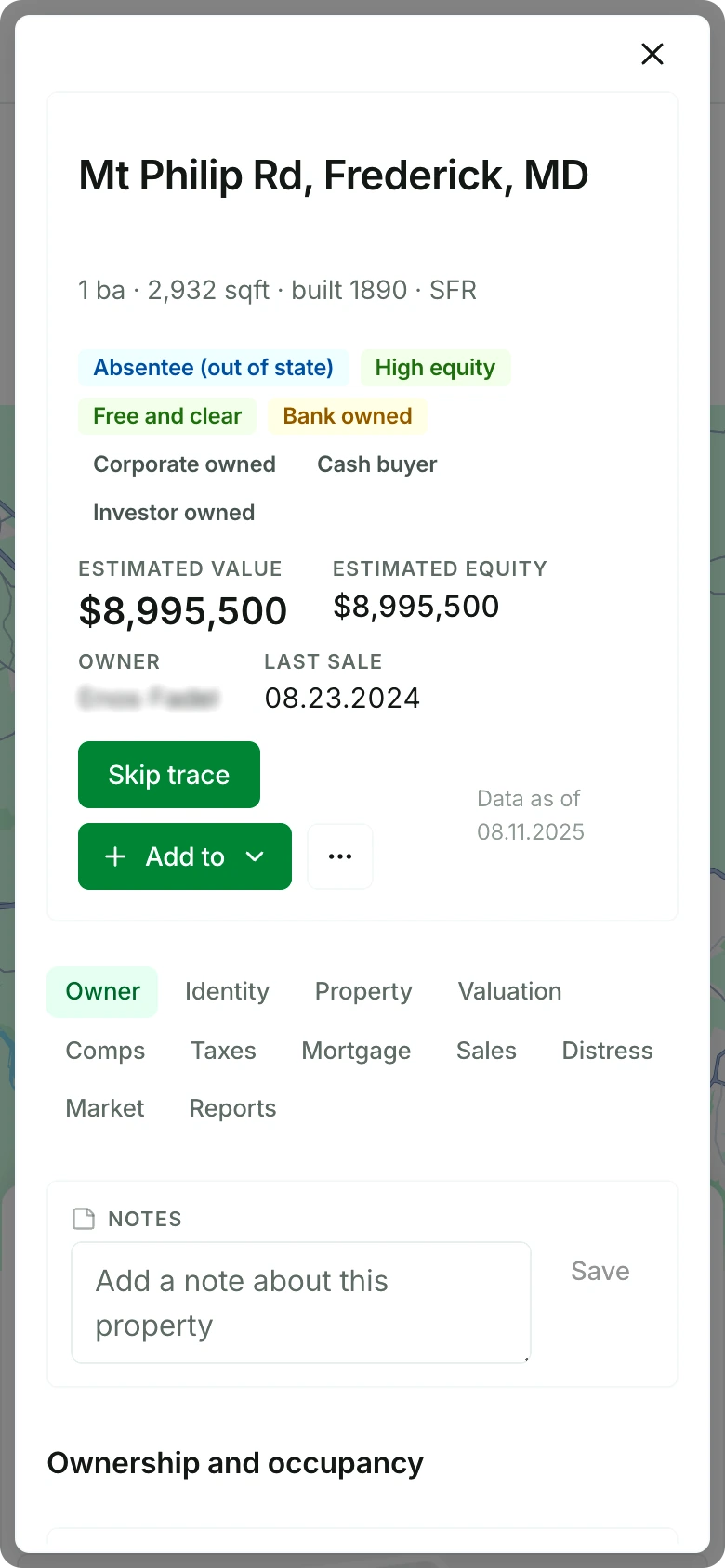
Click a row in a list or a card on the board and the same record opens: the owner, the estimated value and equity, the mortgages, the sales history, and the note you left last time.

A property record open in The Invest Nest, with its Skip trace and Add to buttons, the row of its section names, and the notes box with its Save button
  • Notes are saved to the property, so they are there wherever it opens: a list, the board, the portfolio.
  • Skip trace the owner from the record, and the phone numbers land beside your notes.
  • Add the property to your pipeline or to a list from the same buttons.

Your data is yours

Every list exports, so your data goes wherever you work

Export a whole list to CSV from its menu, or tick the rows and export only those. The skip traced phone numbers, emails, mailing addresses, and linked properties go with it, and a list comes back in the same way, as a CSV, XLS, or XLSX file.

Start your free trial

$0 due today. 25 free skip traces included in your trial.

Pricing

The whole workflow, one price

$65 a month. 500 skip traces included, with more available to buy in add-ons.

One plan with everything included, instead of a search tool, a skip tracing vendor, and a CRM billed separately.

See pricing
  • Search 150M+ properties in any market, or by address or APN
  • 21+ Nest Leads motivated seller indicators
  • Lead lists with status, notes, and favorites
  • Bulk skip tracing from any list
  • The full property record, with your notes on it
  • A drag and drop deal pipeline, portfolio, and archive

FAQ

Questions about CRMs for investors

Can I export to my CRM?

Yes, as CSV. Export a whole list from its menu, or tick the rows you want and export only those. The skip traced phone numbers, emails, mailing addresses, and linked properties go in the file with each property.

Can I bring the lists I already have?

Yes. Upload a CSV, XLS, or XLSX file from any other software, with an address and a ZIP on every row. From there it works like a list you saved here: skip trace it, set a status on each lead, leave notes on the records, and export it whenever you want.

Start finding deals today.

Save your first list, set a status on every lead, and put your first real deal on the board, free for 7 days.

Start your free trial

$0 due today. 25 free skip traces included in your trial.