
Drag every deal through stages you name, from first offer to closed.

Put a real deal on the board and drag and drop it from stage to stage as it moves. Every card opens the full property record.

Start your free trial

$0 due today. 25 free skip traces included in your trial.

The deal pipeline board: a Recently Viewed lane for your viewing history, then stages for Qualified, Meeting Scheduled, Making Offer, Negotiating and Under Contract, property cards sitting in each, and the Portfolio, Archive, List and Board buttons above

Your stages

A board that matches how you close: wholesale, flip, BRRRR, anything

The board opens with a lane for the properties you looked at lately, then five stages: Qualified, Meeting Scheduled, Making Offer, Negotiating, Under Contract. Choose Add to pipeline and a deal lands on the first one.

The stage headers on the board close up: Qualified with three deals in it, Meeting Scheduled with one and Making Offer with one, each with its own actions menu beside the count

Rename a stage, add one, move it, or delete one you never use. Switch between the board and a list view whenever you like.

Three boards you could build

You type the stage names, so the board reads like your own process.

A wholesale flow

  1. Qualified
  2. Reaching out
  3. Offer made
  4. Under contract
  5. Assigned

A flip timeline

  1. Qualified
  2. Walkthrough
  3. Offer made
  4. Rehab
  5. Listed

A BRRRR sequence

  1. Qualified
  2. Offer made
  3. Rehab
  4. Rented
  5. Refinanced

Deal cards

Every card opens the full property record

A card carries the photo, the address, the estimated value and rent, and the Nest Leads it matched, so a glance down a stage tells you what is in it. Click one and the whole record opens.

See property data
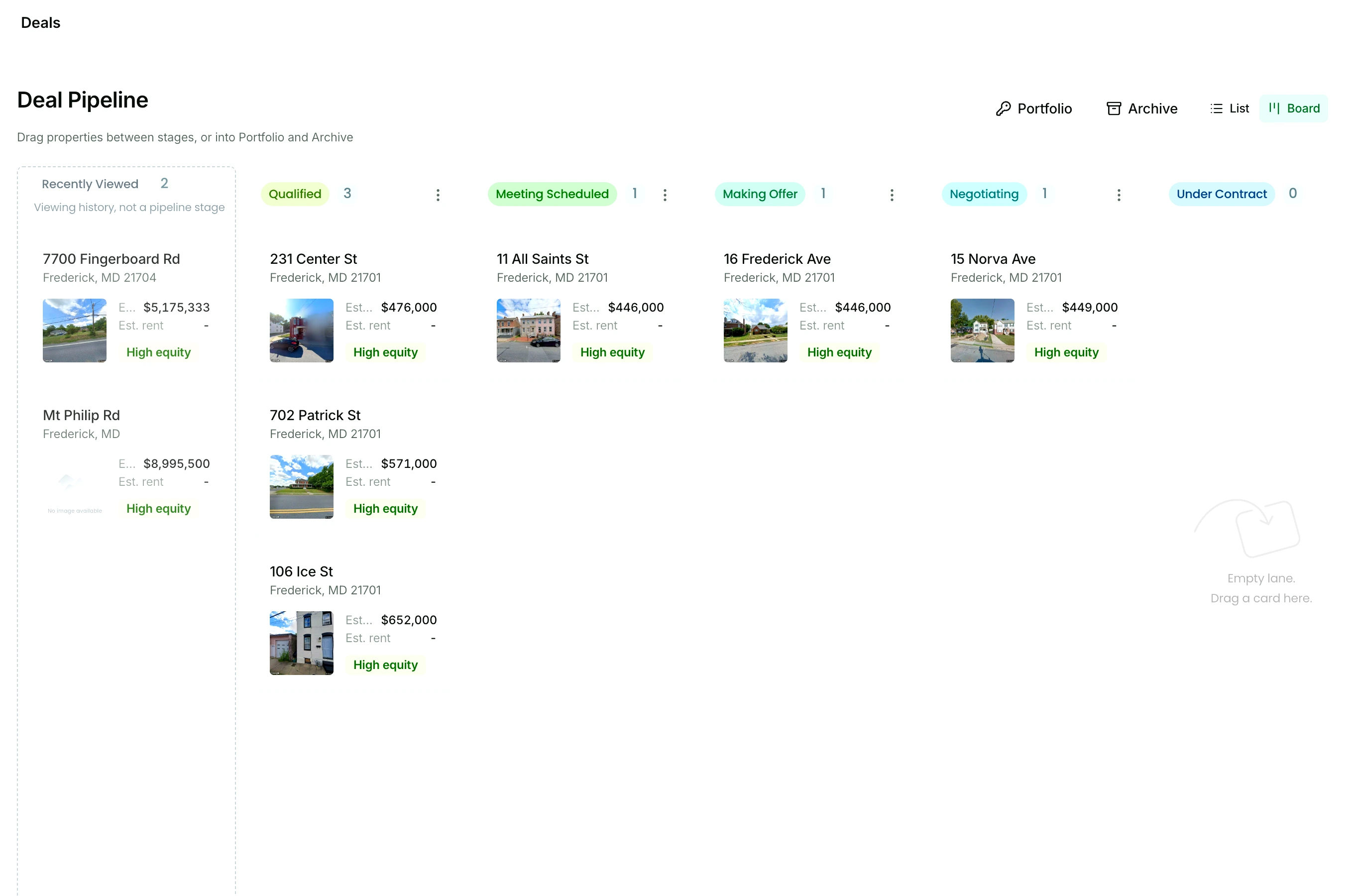
Deal cards on the Qualified stage of the board, close up: each carries the property photo, the street address and city, the estimated value, the estimated rent, and a High equity badge

Portfolio and archive

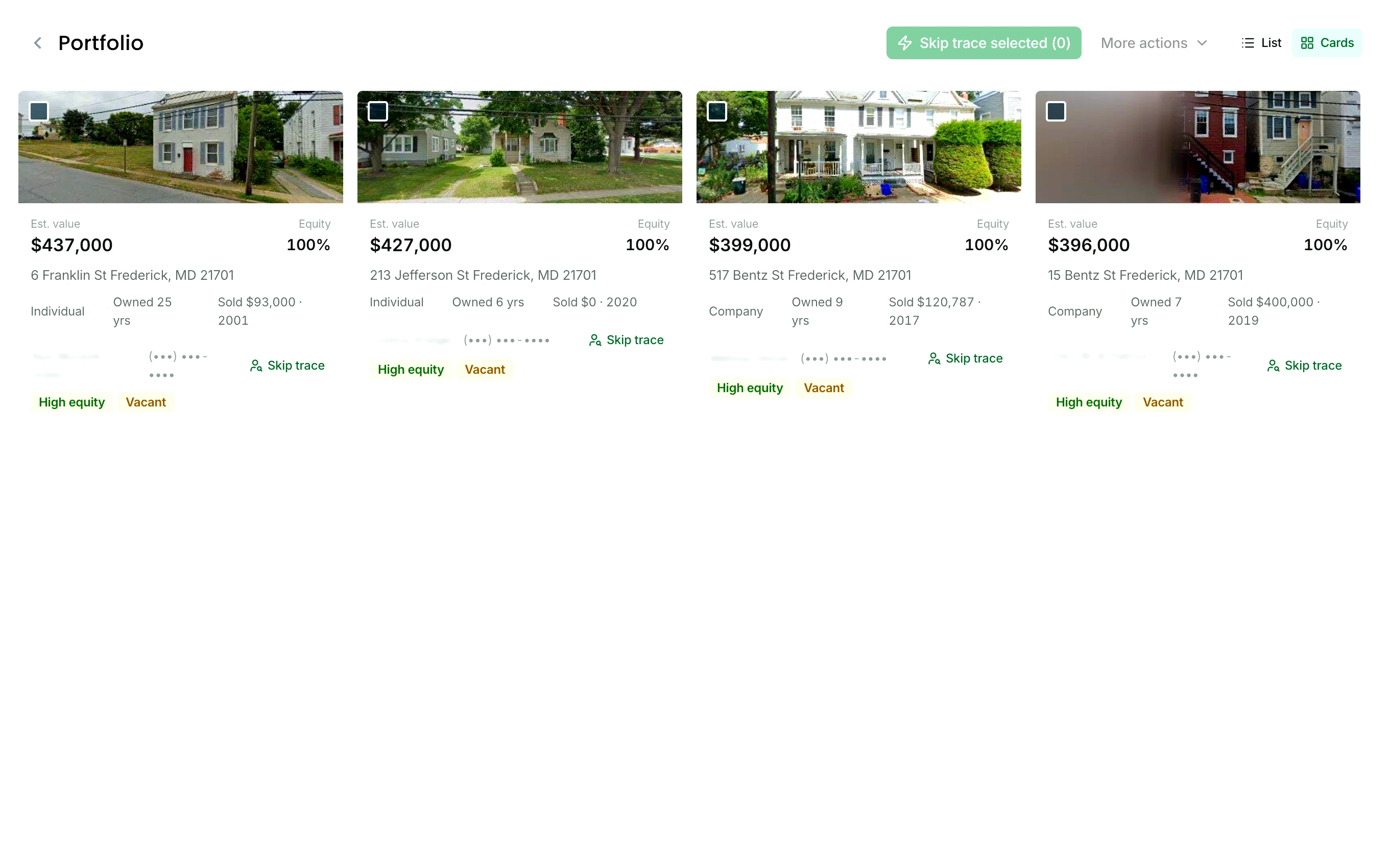
Closed deals go to your portfolio. Dead ones go to the archive.

Track and reference every completed deal in one place, with the notes, the numbers and the reports you ran still attached to it.

The portfolio in card view: closed deals as property cards, each with its photo, estimated value and equity, the street address, the owner type, how long the owner has held it, and High equity and Vacant badges

Into the portfolio

Add to portfolio on the record, or drag the card onto Portfolio.

Into the archive

A deal that fell through goes onto Archive, and nothing disappears.

Open either one later

Both are grids of property cards, and a card opens the record.

FAQ

Questions about the pipeline

Can I rename or add stages?

Yes. Each stage on the board carries an actions menu: rename it, add a new stage to its right, move it left or right, or delete one you never use. The first stage is where every deal lands, so it stays first, and the ones after it are yours to arrange.

How does a lead get onto the board?

Two ways. Inside a lead list, open a row’s actions and pick Add to pipeline. Or open the property from a search, a list, or the map and choose Add to pipeline on the record itself. Either way it lands on your first stage.

Can I run wholesale and flip deals on the same board?

Yes. Name the stages so both fit, or keep the two kinds apart in lead lists and put a property on the board when it turns into a real deal.

Where do closed deals go?

To your portfolio, with the notes, the numbers, and the reports still attached. Open the deal from a lead list or from its own record and choose Add to portfolio. Deals that fall through go to the archive from the same menu, so nothing disappears, and both open as a grid of property cards.

Start finding deals today.

Search your market, save your first list, and put your first real deal on the board, free for 7 days.

Start your free trial

$0 due today. 25 free skip traces included in your trial.