
Your lists, worked and organized in one place.

Save leads from any search in one click or upload a list you already keep, then skip trace the owners and work every lead.

Start your free trial

$0 due today. 25 free skip traces included in your trial.

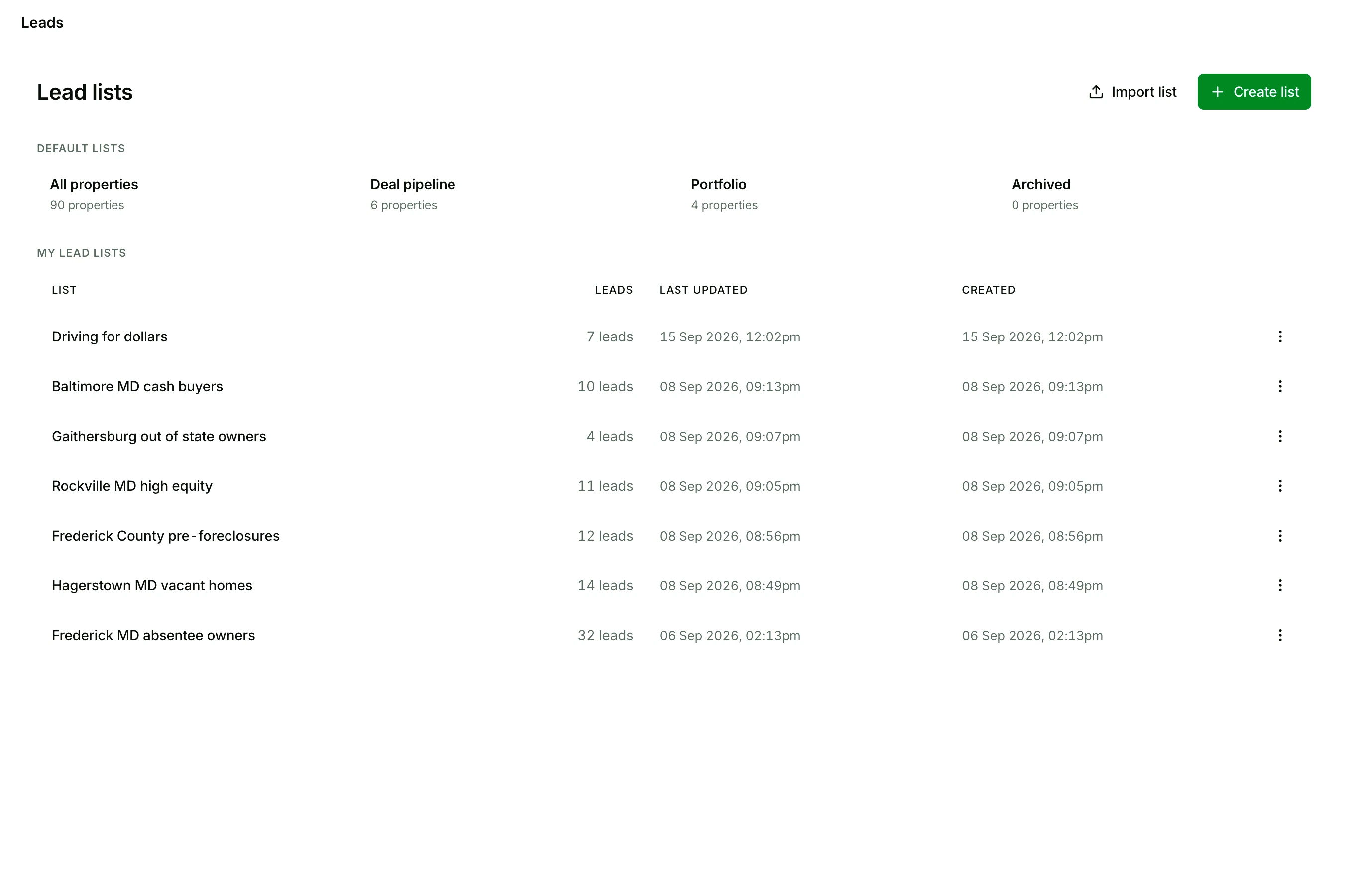
The Lead lists page: the Import list and Create list buttons, the default lists for all properties, deal pipeline, portfolio, and archived, then a list named Driving for dollars and six named for their market and Nest Leads indicator, from Baltimore MD cash buyers to Frederick MD absentee owners, each with its lead count and dates

Two ways in

Save leads in one click, or upload the lists you already have

Every list on your page got there one of two ways.

Save from a search

Run a search, switch on the Nest Leads that fit how you buy, and save what it found.

  • Every result, or only the rows you tick
  • Into a new list, or one you already keep
  • As many lists as you need
See property search

Upload a file

Click Import list and drop in the list you built somewhere else.

  • CSV, XLS, or XLSX
  • An address and a ZIP on every row
  • Then it works like a list you saved here
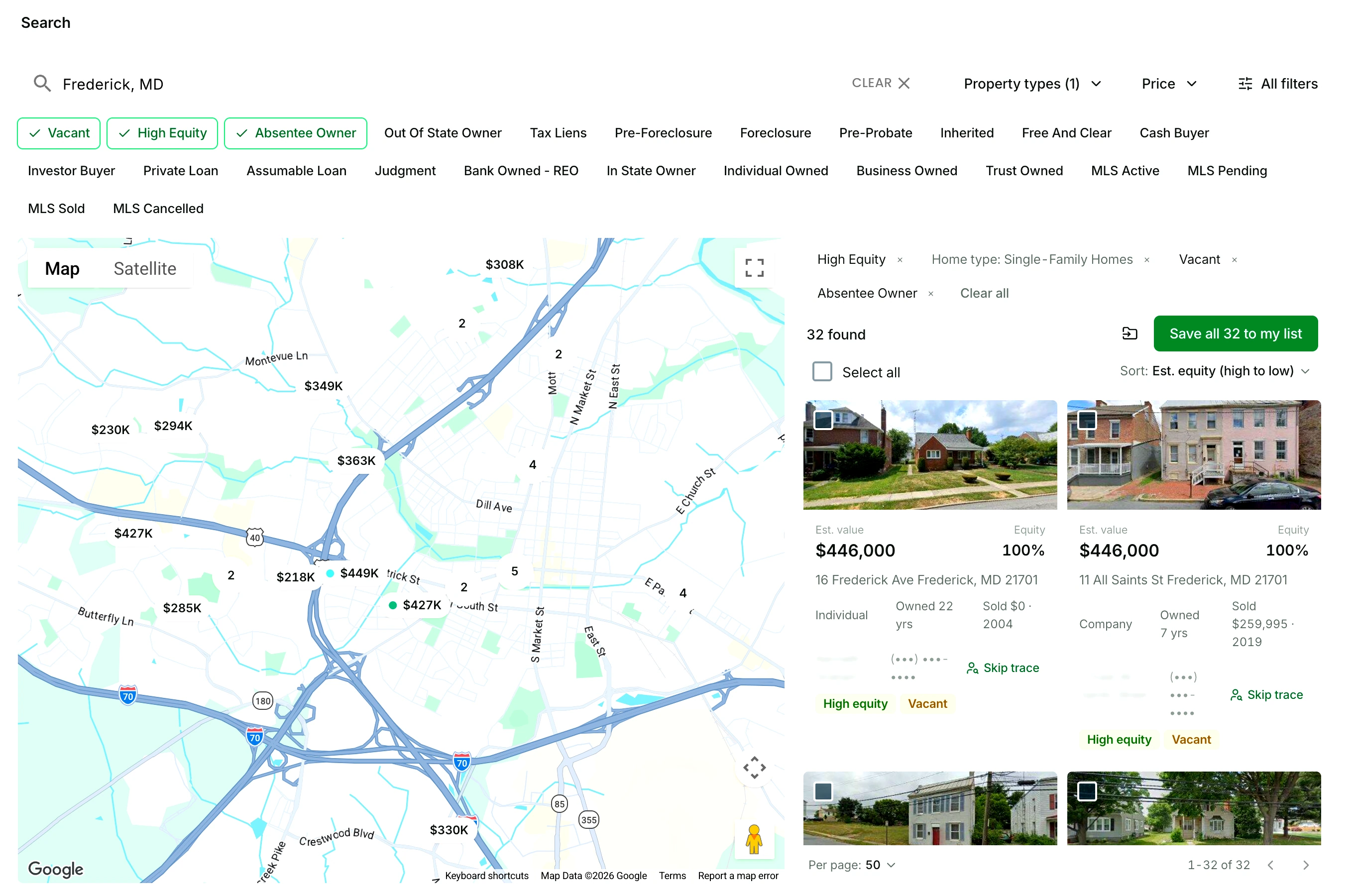
A property search for Frederick, Maryland with Vacant, High Equity, and Absentee Owner switched on: the Nest Leads chip row, the map, the active filters listed above the results, the result count, and the green Save all to my list button beside it

5,000 lead saves and uploads a month on the plan, 100 in the trial.

Working a list

Qualify every lead: status, notes, favorites

Open a list and work it row by row. Star the owners worth chasing, leave a note after each call, and set the lead's status right there in the row.

Tick several rows to change their status together, move them to another list, or remove them in one go.
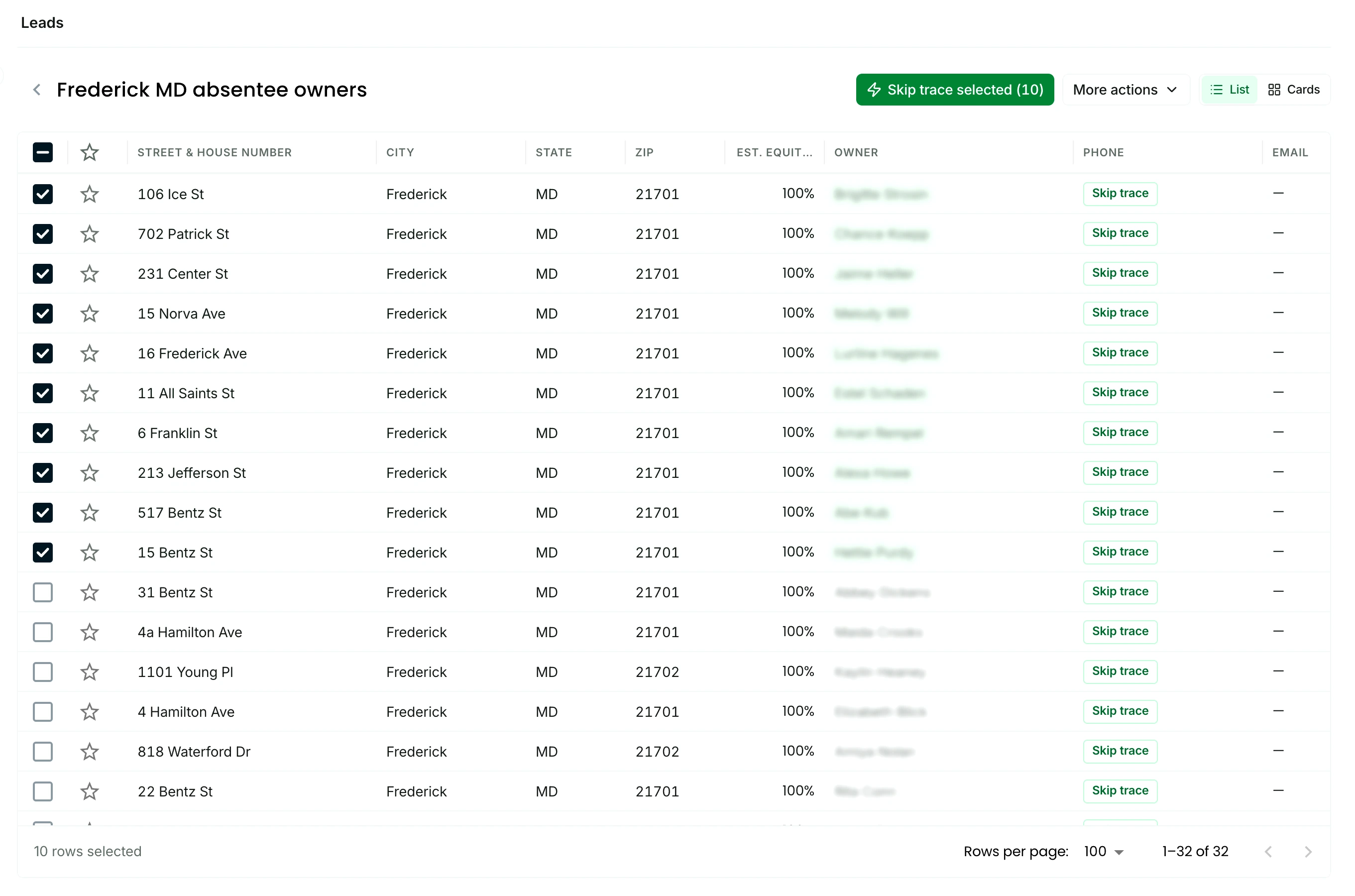
The Frederick MD absentee owners list, framed on its working columns: a star on every row, then each property's street address, city, state, ZIP, and estimated equity

Lead status

  1. Not contacted
  2. Contact attempted
  3. Contacted

then one of

  • Not interested
  • Add to pipeline
  • Close deal

Add to pipeline puts the lead on your deal board.

See the deal pipeline

Bulk skip tracing

Skip trace the whole list without leaving it

Tick the owners you want, or select all, and click Skip trace selected.

Phone numbers, emails, mailing addresses, and linked properties land back in their rows. 500 skip traces are included every month, and extra ones are 10 cents each and never expire.

See skip tracing
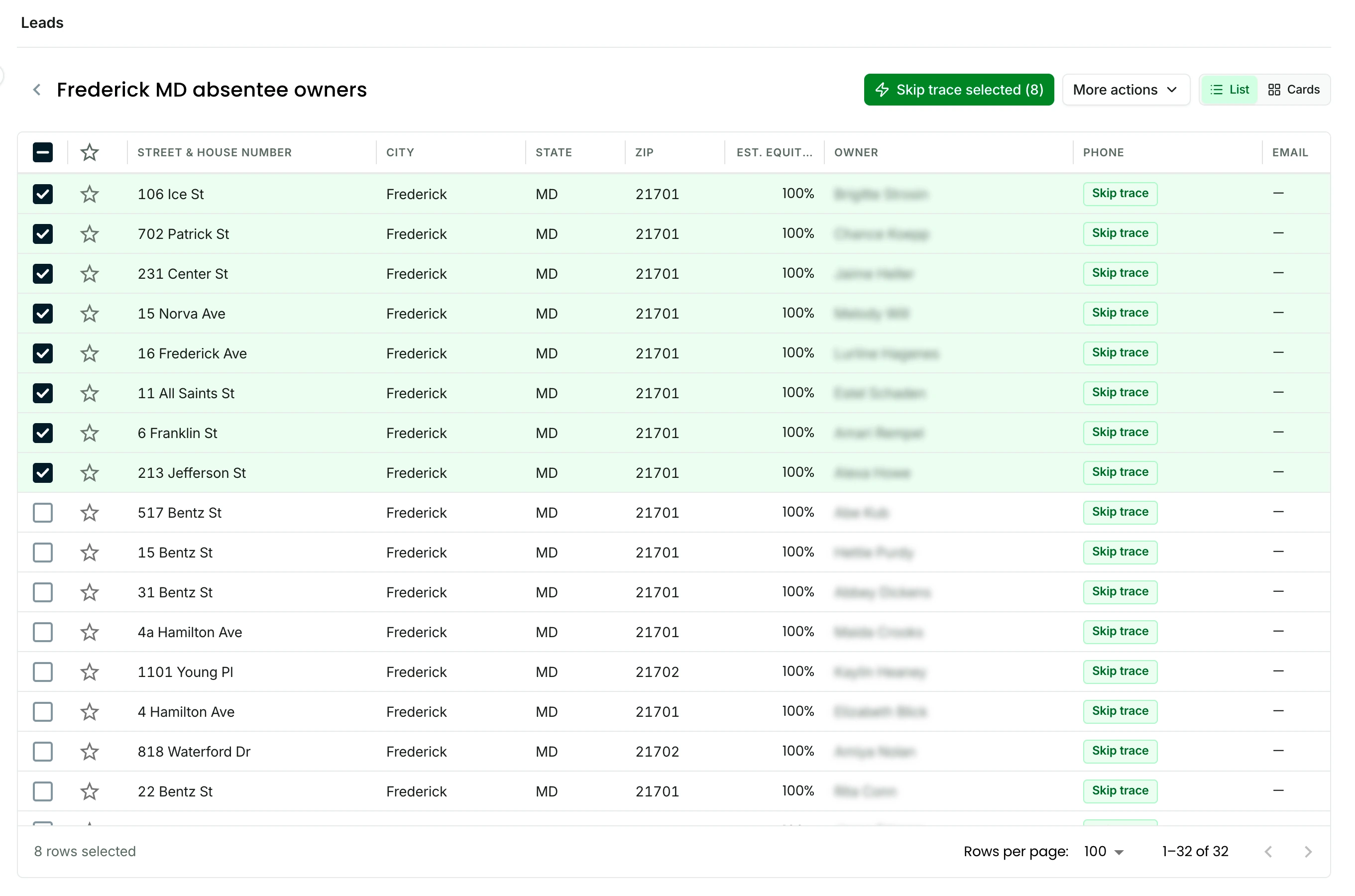
The Frederick MD absentee owners list with eight rows ticked and highlighted green, the Skip trace selected button counting them in the header, the owner names blurred and the phone and email columns empty until the skip trace runs

Your lists are yours

Export any list, any time

Export a whole list to CSV from its menu, or tick the rows and export only those. The skip traced phone numbers, emails, mailing addresses, and linked properties go with it.

Start your free trial

$0 due today. 25 free skip traces included in your trial.

FAQ

Questions about lists

What file formats can I upload?

CSV, XLS, or XLSX, with an address and a ZIP on every row. Once the file is in, the list works like one you saved from a search: skip trace it, set each lead's status, leave notes, and export it to CSV.

Is there a limit?

The plan includes 5,000 lead saves and uploads a month, and the trial includes 100. Keep them in as many lists as you need. Skip traces are counted on their own: 500 are included every month, and extra ones are 10 cents each.

Can I stack lists?

Yes. When you save leads from a search you choose a new list or one you already keep, so a second search narrowed a different way lands in the same list. Inside any list, tick rows and choose Move to a list to combine two lists or split one up.

Can I export my skip traced data?

Yes. When a skip trace runs, the phone numbers, emails, mailing address, and linked properties land in the owner's row, and an export of that list carries them. Export a whole list from its menu, or tick the rows you want and export only those, as CSV.

What are the default lists?

Every account starts with four: All properties, Deal pipeline, Portfolio, and Archived. All properties holds every lead you save or upload, and the other three fill as deals move to the pipeline, close, or get archived.

Start finding deals today.

Upload the list you have, or save your first search, and skip trace 25 owners free in your 7 day trial.

Start your free trial

$0 due today. 25 free skip traces included in your trial.