
From first search to closed deal, in one tool.
Search, filter, save, skip trace, qualify, track, and close. One tool, start to finish. It keeps every lead, note, and deal in one organized place.
$0 due today. 25 free skip traces included in your trial.
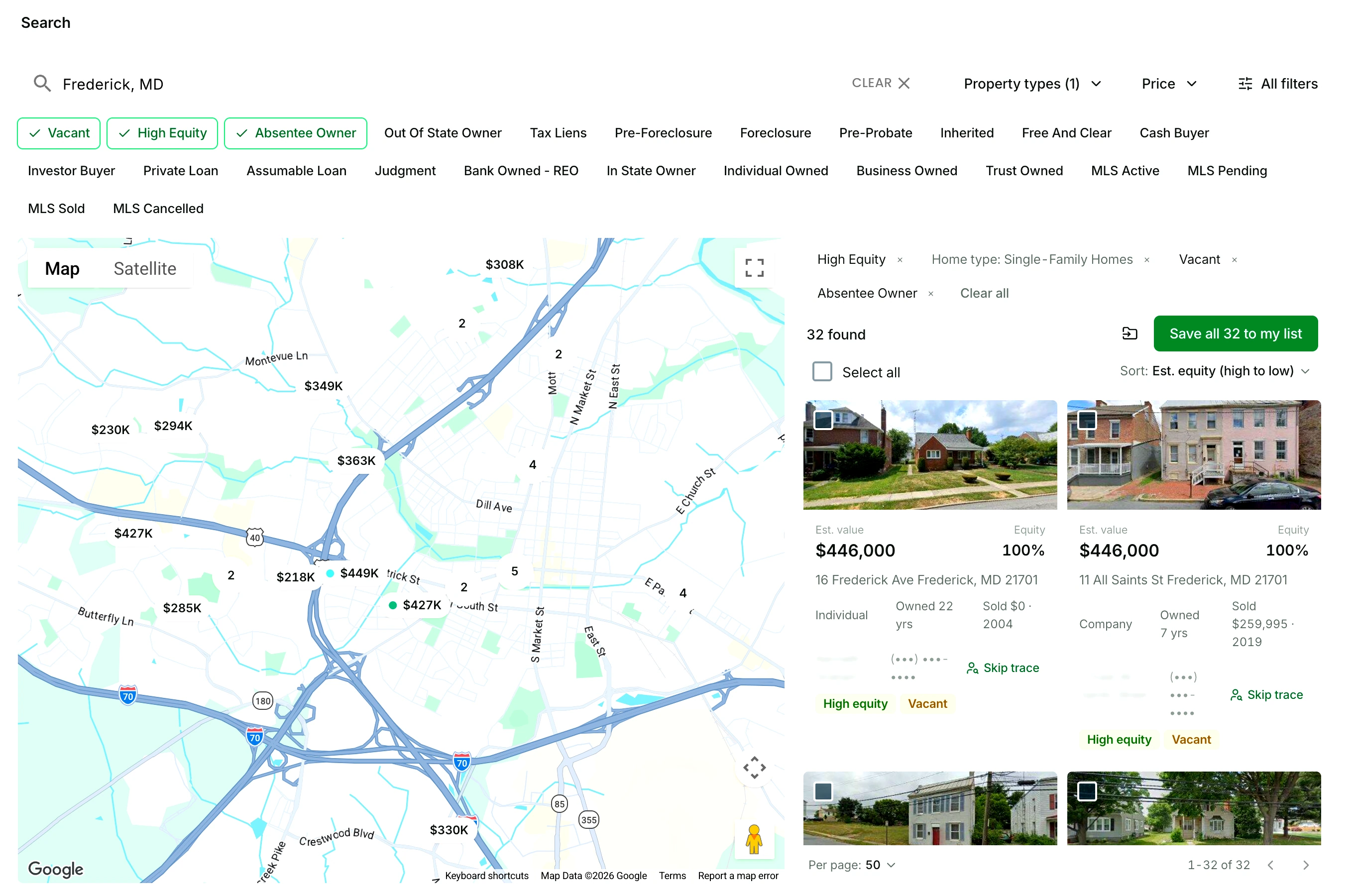
Step 1 Search any market in the country, or by address.
Type a city, county, or ZIP and the map fills with every property in it, on the market or off. Already have an address? Search that instead.
What you get
- 150M+ US properties, on and off market
- Search by city, county, ZIP, a single address, or APN
- Live results, each a map pin and a card, sortable by estimated equity
- The leads it finds, saved to a list in one click
Good to know
One address works the same way as a market. Type it and the property comes up on its own, ready to save, skip trace, or open, so a house you spotted while driving gets the same treatment as one a search found.
See property searchStep 2 Narrow the results to the owners most likely to sell.
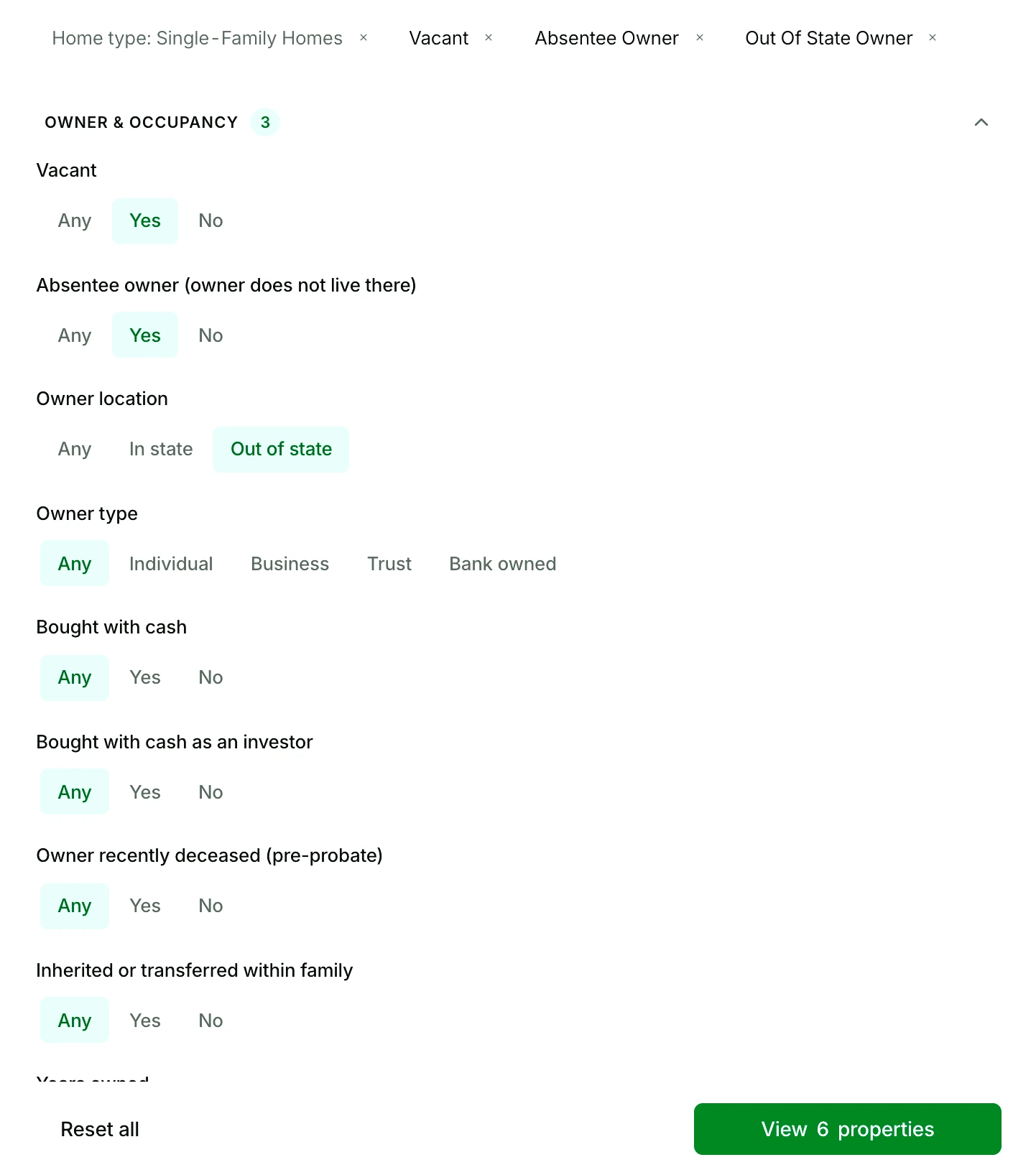
Switch on the Nest Leads that fit how you buy: vacant, high equity, absentee owner, out of state owner, pre-foreclosure, inherited, and more. Open All filters to stack the rest on top, from years owned and equity to loan type and last sale date.
What you get
- 21+ Nest Leads motivated seller indicators, one click each
- Over 100 filters, grouped by property, ownership, financial, sale, foreclosure, and mortgage
- A match count that updates with every filter you set
- Each result card tagged with the indicators it matched
Good to know
Indicators stack. Vacant on its own is a long list; vacant plus absentee owner plus high equity is a short one, and the count on the button tells you which you have before you save anything.
See Nest LeadsStep 3 Save leads to a list, or upload the one you already have.
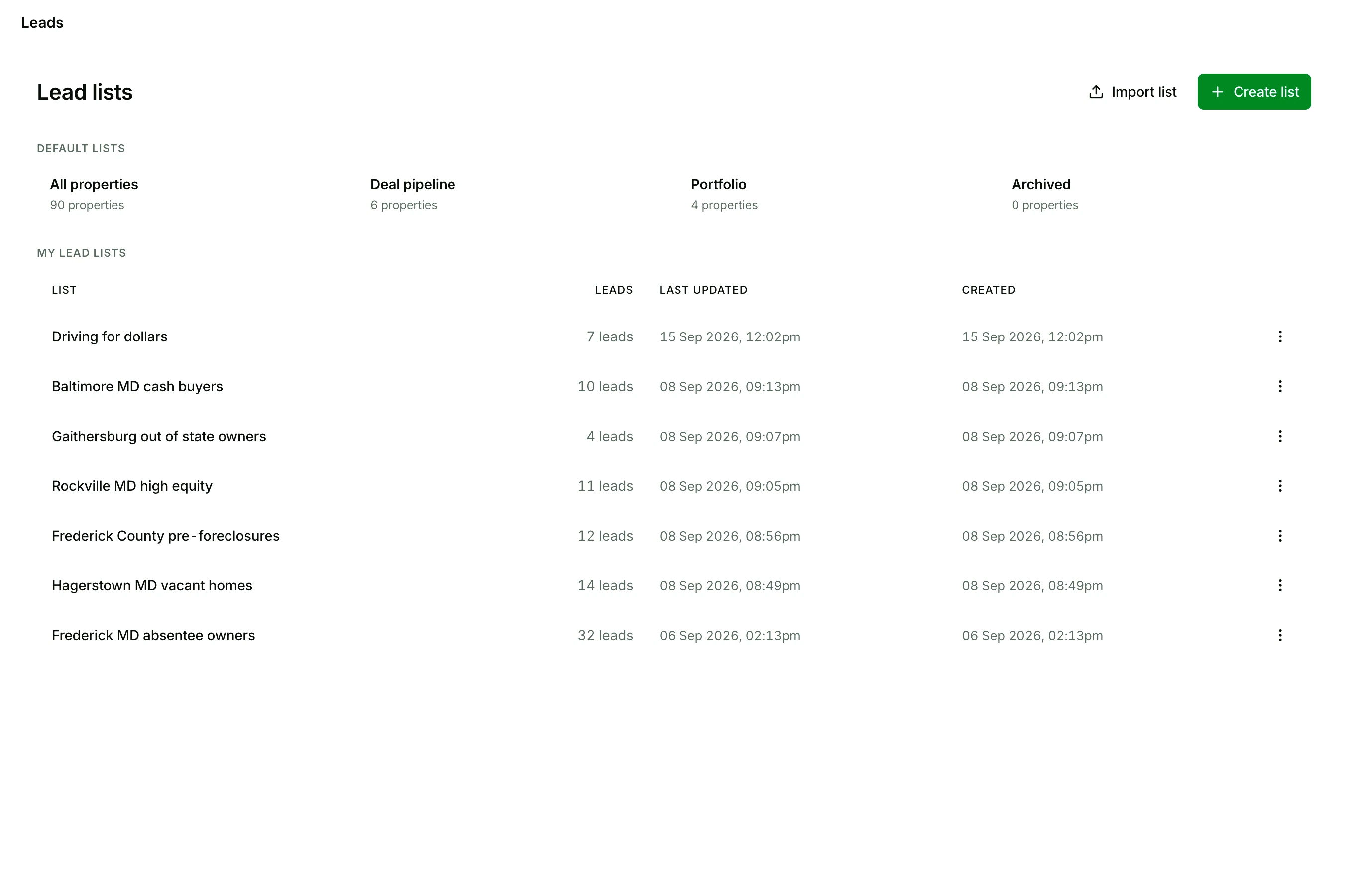
Save everything the search found, or only the rows you ticked, to a new list or an existing one. Uploading a list from another tool? Click Import list and drop in the file.
What you get
- 5,000 lead saves and uploads a month, 100 in the trial
- Import CSV, XLS, or XLSX files, and export any list to CSV
- List view or card view on every list
- Your pipeline, portfolio, and archive are lists too, so every property you touch has a home
Good to know
An imported file needs an address and a ZIP on every row; you match the other columns at import. From then on it works like a list you saved here: skip trace it, tag each lead, export it.
See lead listsStep 4 Skip trace the whole list in one click. Call the right number first.
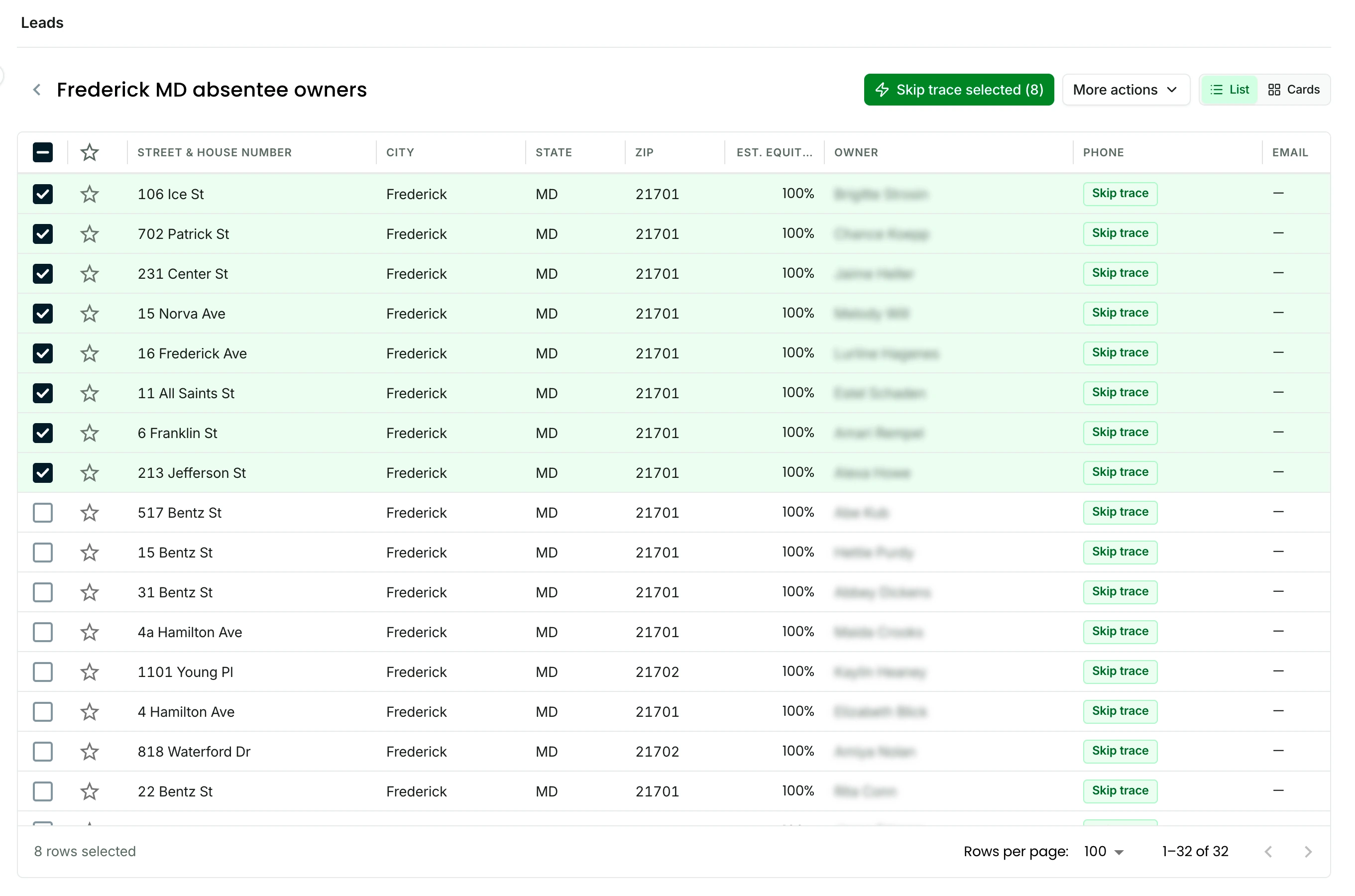
Open the list, tick the owners you want or select all, and click Skip trace selected. The results land back in the same rows.
What you get
- Owner phone numbers, emails, mailing address, and linked properties
- 500 skip traces included every month, refilled on your billing date
- Extra skip traces you buy are 10 cents each and never expire
- One owner from a result card or a record, or a whole list at once
Good to know
Every number comes back with a do-not-call flag and a phone quality score, so you can pick the number to dial first and leave the ones you should not call alone.
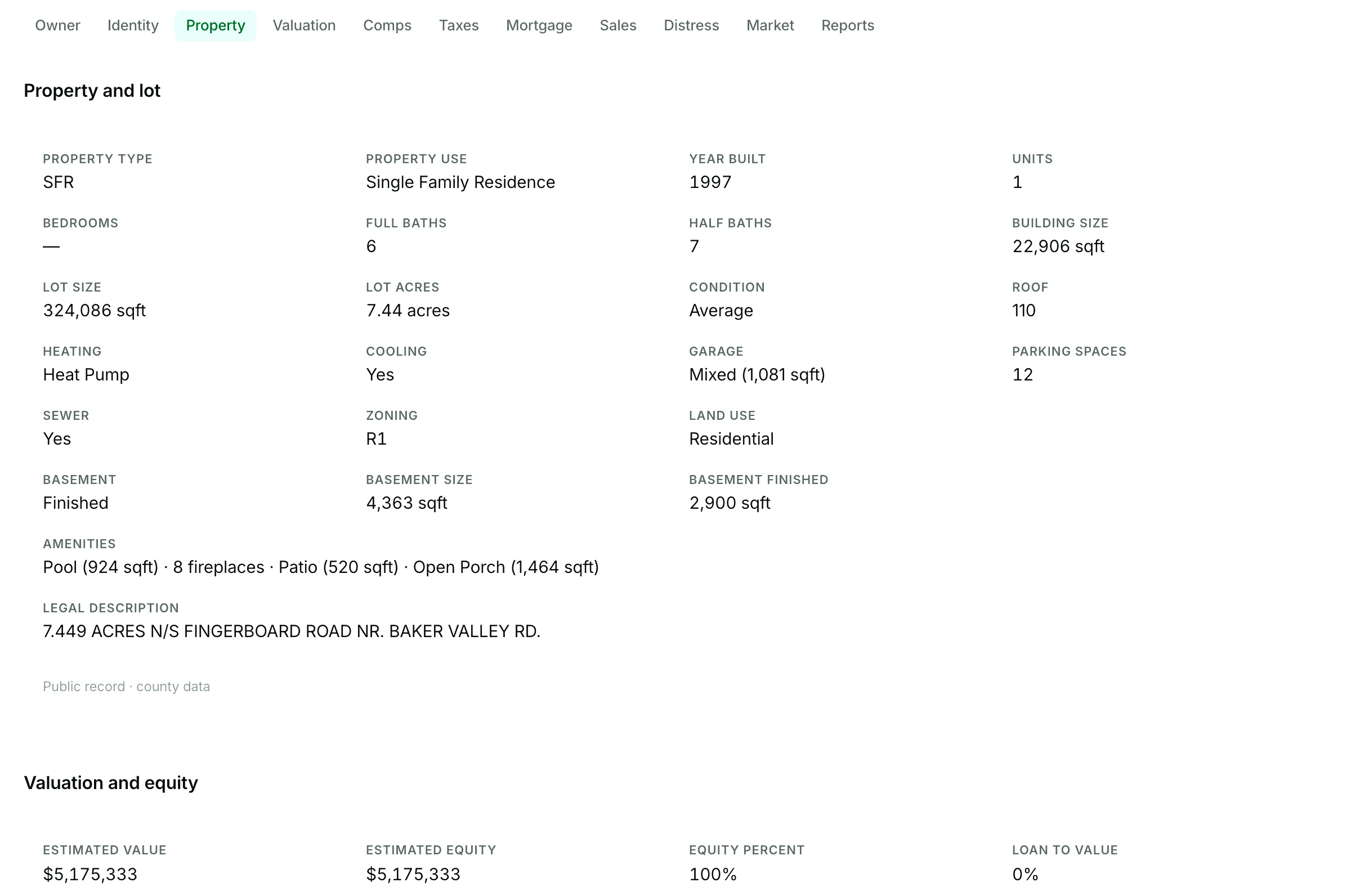
See skip tracingStep 5 Over 100 data points, notes, and lead status on one page.
Open any property from a list, the map, or the pipeline. Read the record, leave a note after each call, set the lead status, and star the ones worth chasing.
What you get
- Ownership, mortgage and equity, sales history, comps, taxes, and the linked properties the same owner holds
- Notes and a star on every property
- A lead status set from the row or the record: not contacted, contact attempted, contacted, not interested
- The skip traced owner on the same record
Good to know
Status is the list’s memory. Set it as you work and the list shows at a glance who still needs a call, who said no, and who is ready for the pipeline.
See property dataStep 6 Add hot deals to your pipeline.
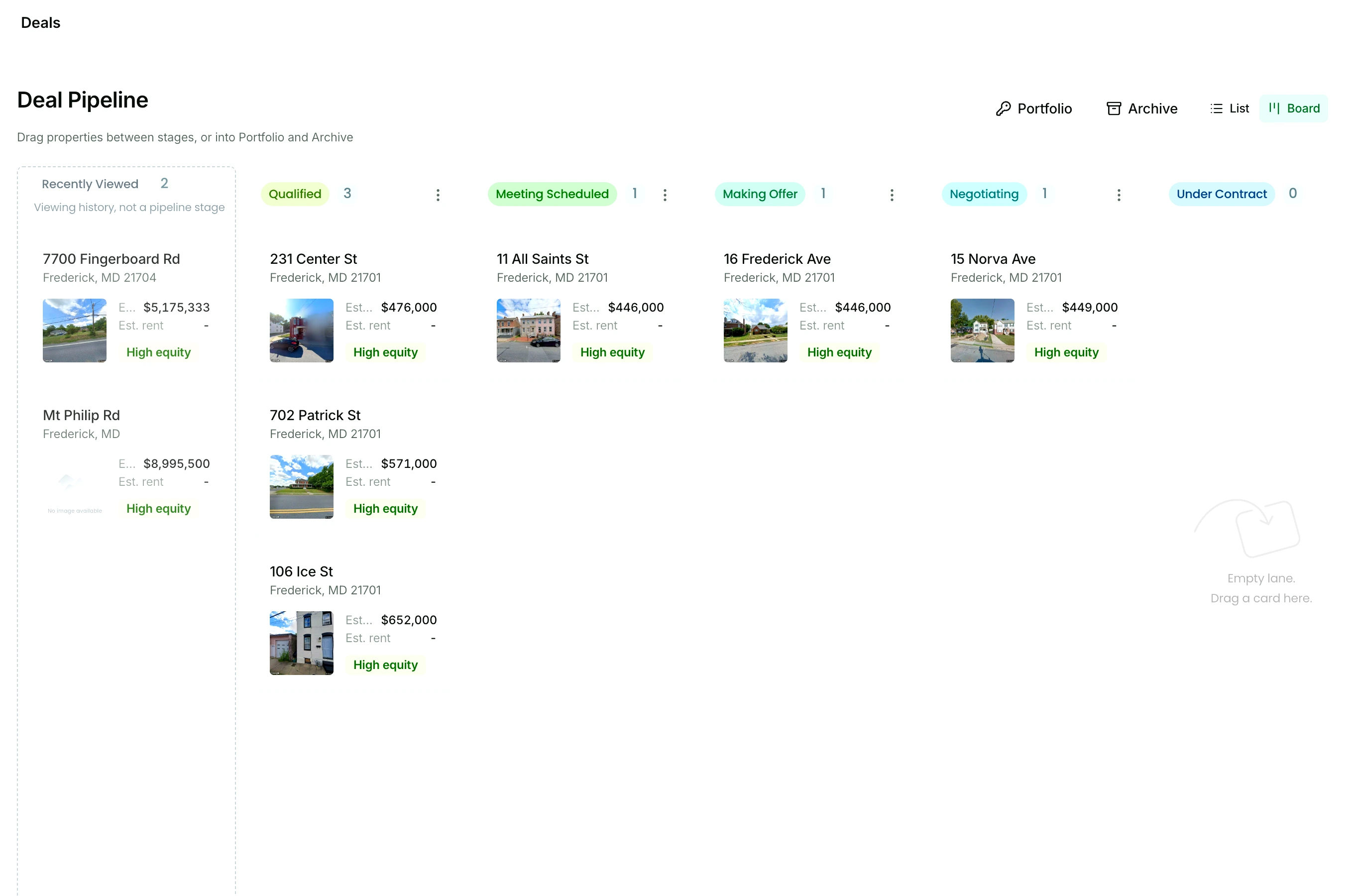
When a lead turns into a deal, add it to the pipeline from its list or its record, then drag the card from stage to stage as the deal moves.
What you get
- Drag and drop between stages, or straight into the portfolio or the archive
- Stages you rename, add, reorder, and delete to match how you close: a wholesale flow, a flip timeline, a BRRRR sequence
- Board view or list view
- The full property record one click from every card
Good to know
Recently viewed keeps the properties you opened lately, so a promising one is one drag away from Qualified. Qualified is always the first stage; the stages after it are yours.
See the deal pipelineStep 7 Close the deal. Save it to your portfolio.
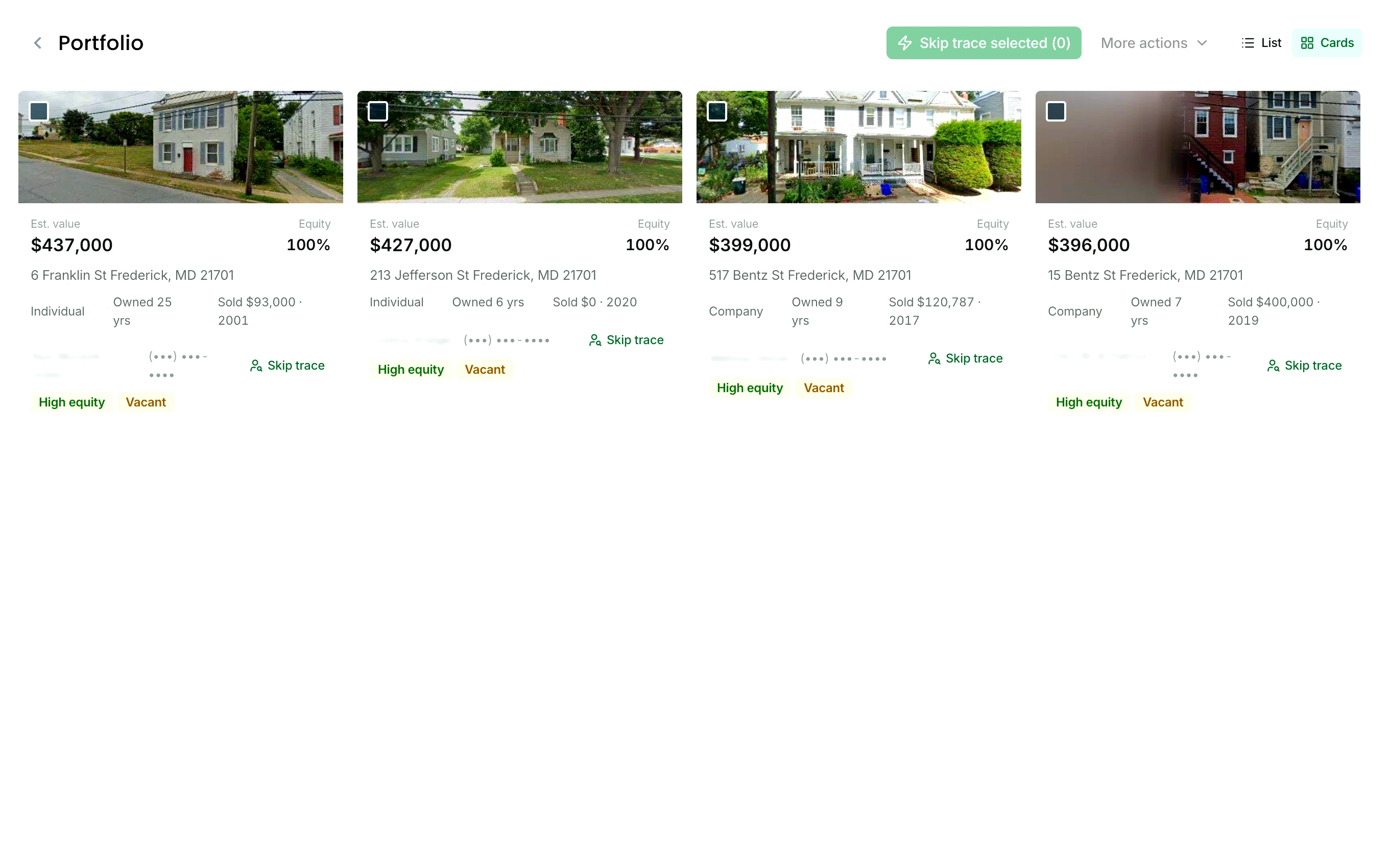
Close the deal from the pipeline or the record and it moves to your portfolio with everything attached. Archive the ones that fell through.
What you get
- Every closed deal with its notes, numbers, and reports attached
- An archive for the deals that died, so nothing disappears
- Card view or list view
- Both one drag from the pipeline board
Good to know
The portfolio and the archive are lists like any other. Open a deal a year after you closed it and the record is still there: the owner, the numbers, your notes.
See the portfolioSeven steps. One tool. $65 a month.
500 skip traces are included every month, and extra skip traces you buy are 10 cents each. The free 7 day trial is enough to run every step in your own market.
See pricing$0 due today. 25 free skip traces included in your trial.
In seven screens
The whole workflow, in seven screens.
The real product, in the order you use it.
FAQ
Questions before you start.
How long does the whole thing take the first time?
A first search takes as long as typing a city. Each Nest Leads indicator is a click, so is saving the list, and a bulk skip trace of the whole list is one more, with the results landing back in the rows. Your 7 day trial includes 25 free skip traces and 100 lead saves, enough to run every step in your own market.
Do I need my own list to start?
No. Search any market, switch on the Nest Leads that fit how you buy, and save the leads as your first list. If you already have a list, upload it and skip trace it the same day.
Can I bring lists from another tool?
Yes. Export them as CSV, XLS, or XLSX and click Import list. Every row needs an address and a ZIP, and you match the other columns at import. From then on the list works like one you saved here: skip trace it, tag each lead, and export it to CSV whenever you want.
What happens when I skip trace a whole list?
Tick the owners you want, or select all, and click Skip trace selected. The skip trace runs, and each owner’s phone numbers, emails, mailing address, and linked properties land in their row, with a do-not-call flag and a phone quality score on every number. The 500 skip traces included every month refill on your billing date, and extra skip traces you buy are 10 cents each and never expire.
Can I rename the pipeline stages?
Yes. Rename, add, reorder, or delete stages so the board matches how you close: a wholesale flow, a flip timeline, a BRRRR sequence. Qualified is always the first stage, and Recently viewed is a lane for your viewing history rather than a stage. Drag and drop a deal from stage to stage, or straight into the portfolio or the archive.
Where do closed deals go?
To your portfolio, with every note, number, and report attached. Deals that fall through go to the archive instead of disappearing, so either one is there when you need it later. Both are one drag from the pipeline board, and both open in card view or list view.
Start finding deals today.
Search your market, save your first list, and skip trace it, free for 7 days.
Start your free trial$0 due today. 25 free skip traces included in your trial.