
How to find pre-foreclosure properties in your area
Five steps from the first search to the owner's phone number.
To find pre-foreclosure properties in your area, search your city, county, or ZIP with a pre-foreclosure filter, save the results to a list, and skip trace the owners for their phone numbers, emails, and mailing addresses. With The Invest Nest, real estate investing software for off-market deals, you get five steps in one tool, for $65 a month.
There is a new supply every month. Lenders started the foreclosure process on 25,894 U.S. properties in August 2026, up 7% from a year earlier (ATTOM, August 2026). Below: what a pre-foreclosure is, where the filings are highest, and the five steps to find the owners in your market and reach them.
What is a pre-foreclosure?
A pre-foreclosure is a home whose owner has fallen behind on the mortgage and received a public default notice, but the home has not been sold at auction. The owner still holds the deed and can still sell, which is why investors reach out during this window.
Depending on the state, the first public filing is a notice of default, a lis pendens, or a notice of sale. A later notice sets the auction date. Once the home sells at auction, or the lender takes it back as a bank owned (REO) property, the window has closed.
How long the window stays open depends on the state and the lender, so the date of the notice matters. A notice filed this month gives the owner more time to sell than one filed last spring.
How many homes enter pre-foreclosure each month?
In August 2026, lenders started the foreclosure process on 25,894 U.S. properties, up 7% from August 2025. Counting default notices, scheduled auctions, and bank repossessions together, 40,277 properties had a foreclosure filing that month, one for every 3,569 housing units in the country (ATTOM, August 2026).
Five states had the most foreclosure starts:
| State | Foreclosure starts in August 2026 (ATTOM) |
|---|---|
| Florida | 3,189 |
| Texas | 3,126 |
| California | 2,565 |
| Illinois | 1,192 |
| Georgia | 1,189 |
By rate, South Carolina led with one filing for every 1,547 housing units, followed by Nevada, Florida, Texas, and Maryland (ATTOM, August 2026). Wherever you invest, the steps below find the notices in your own market.
Why do investors look for pre-foreclosures?
Because the owner has a deadline and a reason to sell. An owner facing an auction date may want a fast, simple sale before it arrives, and an investor who calls with a real offer can give them one. Selling before the auction can let the owner walk away with some cash from the house, instead of nothing if the bank takes it back. The more equity an owner has in their home, the more room they have to make a deal.
That is why it pays to stack two filters: Pre-Foreclosure to find the notices, and High Equity to narrow them to owners who still have value in the home. The Invest Nest's High Equity filter shows properties with more than 39% equity.
How do you find pre-foreclosure properties in your area?
Search your market, apply the Pre-Foreclosure filter, save the results to a list, bulk skip trace the list, qualify your leads, and close! Here is how each step works with The Invest Nest.
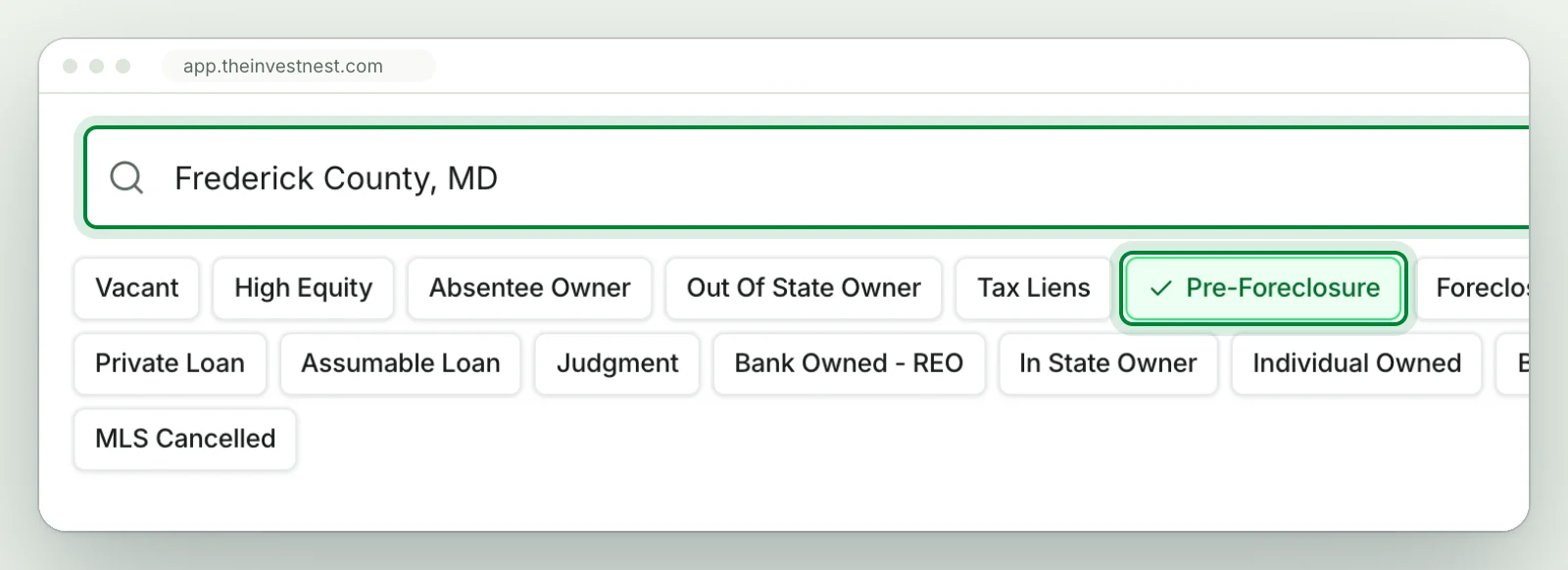
Step 1. Search your city, county, or ZIP
Type a city, county, or ZIP into the search bar. You can search any market in the country, across 150M+ properties on and off market. Search the county to see the notices across your area, or a ZIP to focus on one part of town.
Step 2. Apply the Pre-Foreclosure filter
Pre-Foreclosure is one of 21+ Nest Leads motivated seller indicators, the row of chips above your results. Apply it and the results narrow to properties that received a pre-foreclosure notice within the last year. Add the High Equity filter to refine your results even further.
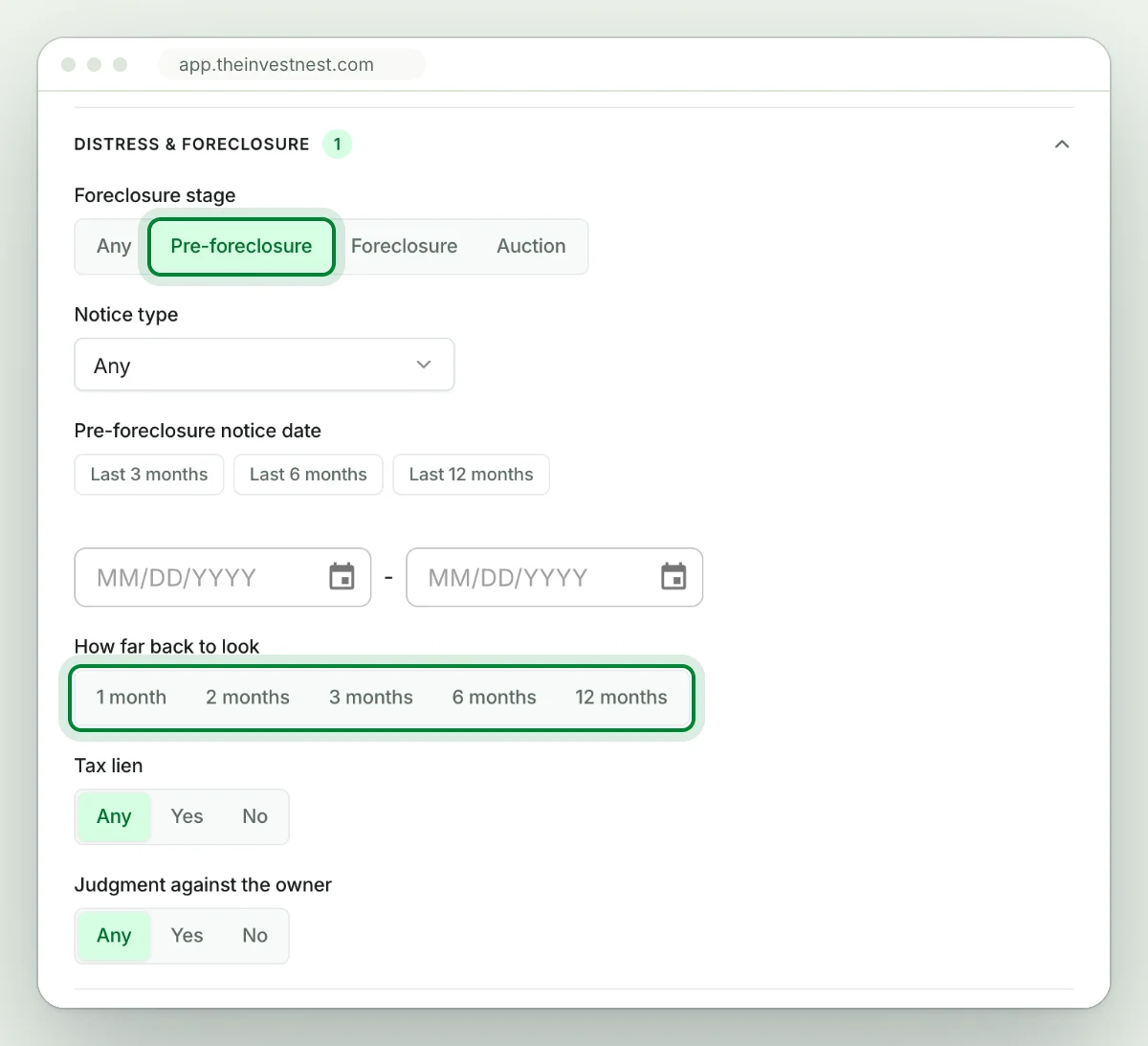
To go further, open All filters and the Distress & foreclosure group. Pick the notice type, from a notice of default or lis pendens to a notice of trustee sale, and set how far back to look, from 1 month to 12 months. A shorter time frame narrows the results to the newest notices, where the owner has the most time to sell. Stack over 100 additional filters on top, from years owned to loan type, to match the list to your own buying criteria.
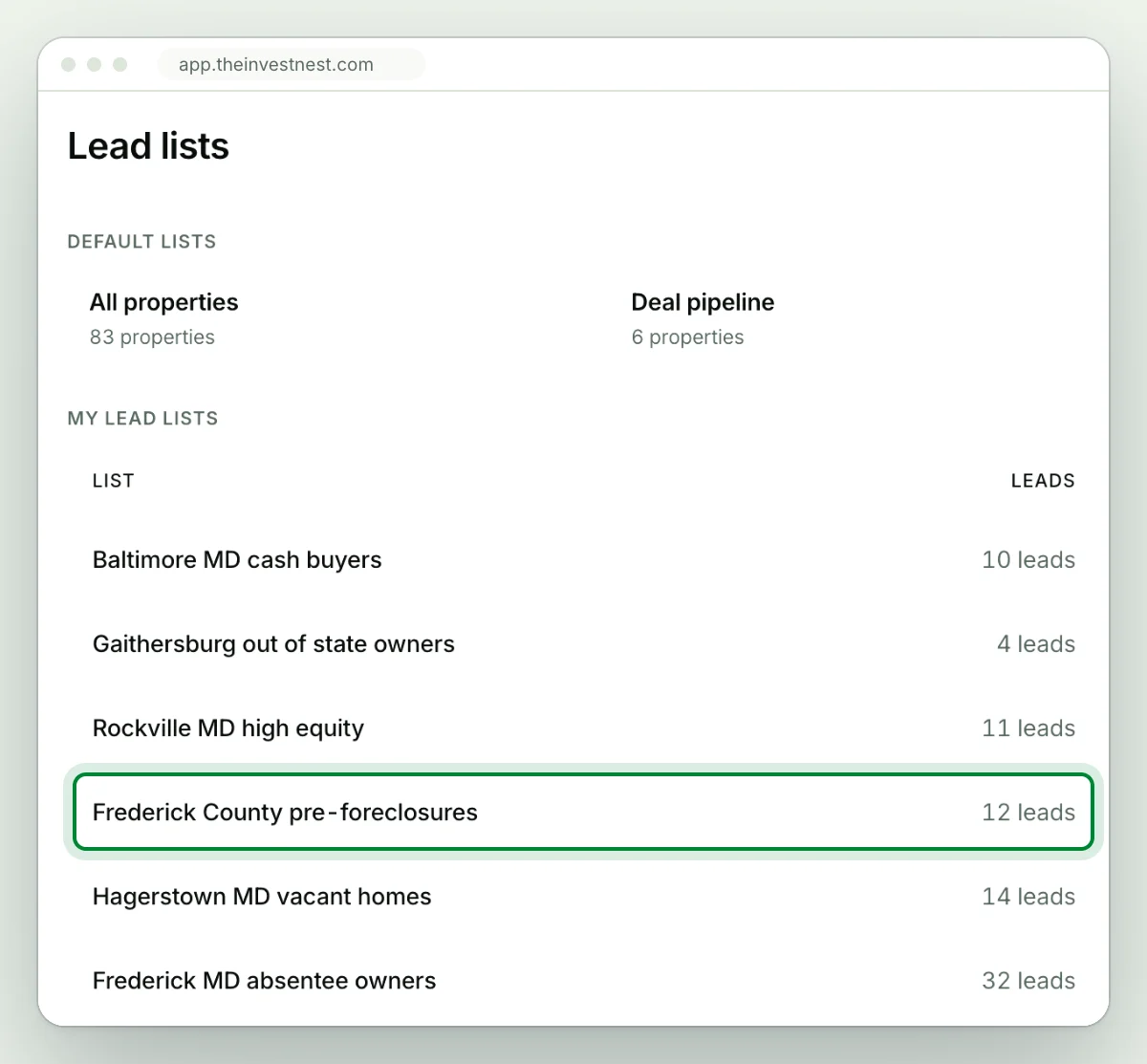
Step 3. Save the results to a list
Click Save all to my list, then name and save your list. Every list you save sits on your lead lists page, and you can upload your own lists as CSV, XLS, or XLSX files too. You get 5,000 lead saves a month.
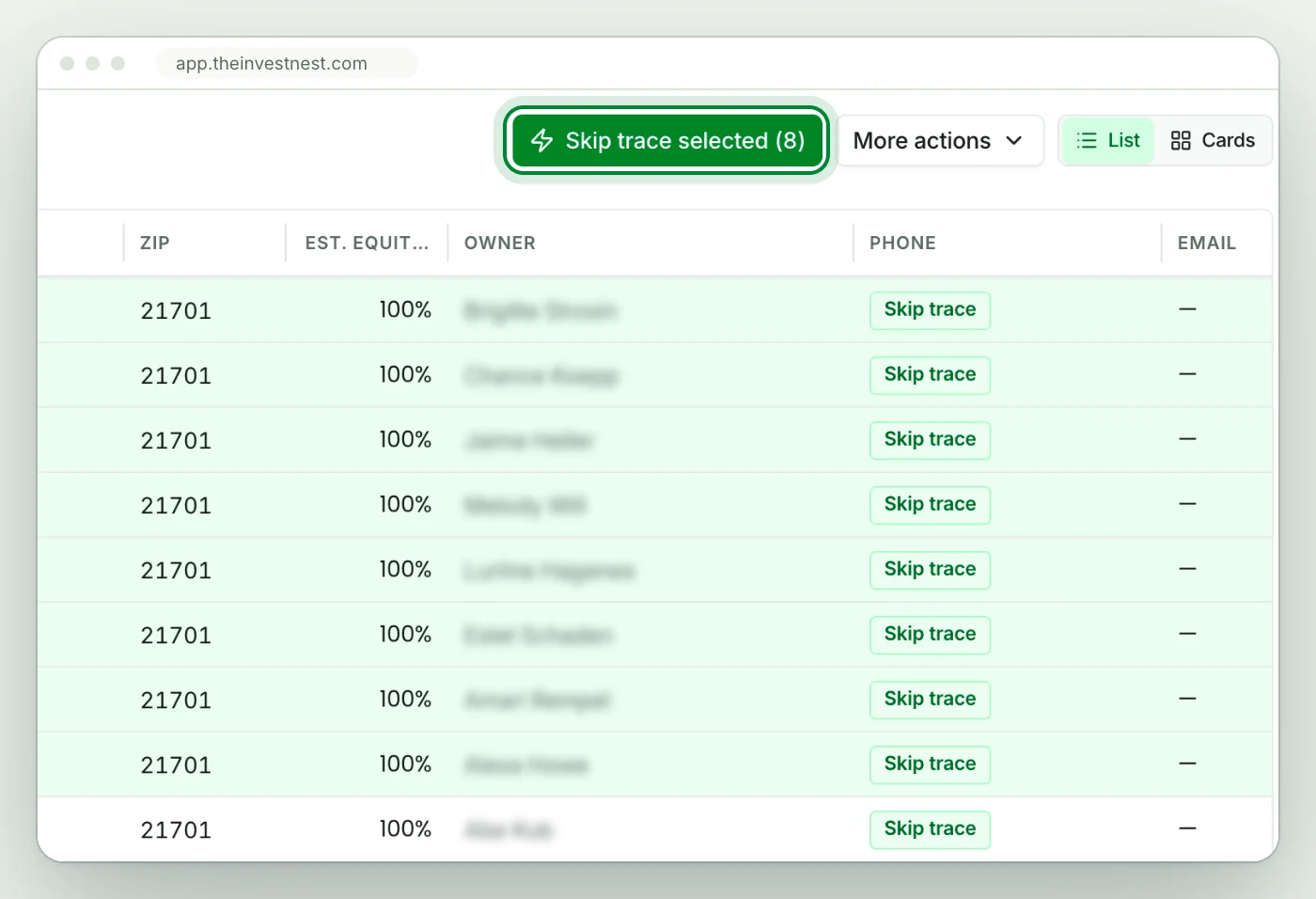
Step 4. Bulk skip trace your entire list
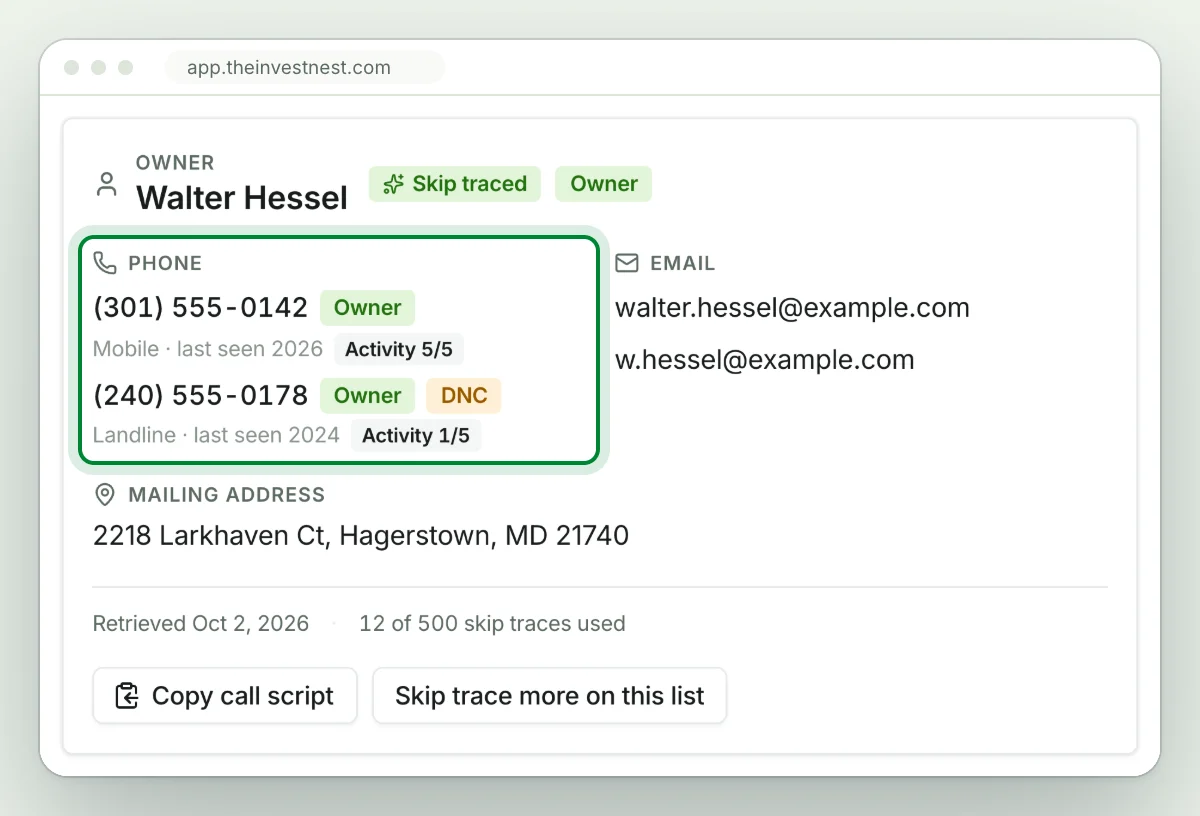
Open the list, select the owners you want, and click Skip trace selected. Phone numbers, emails, mailing addresses, and linked properties show up in your list, with do-not-call flags and phone quality scores on the numbers that come back.
500 skip traces are included every month and refill on your billing date. Extra skip traces you buy are 10 cents each and never expire. Your 7 day trial includes 25 free skip traces.
Step 5. Qualify your leads and move hot deals to your pipeline
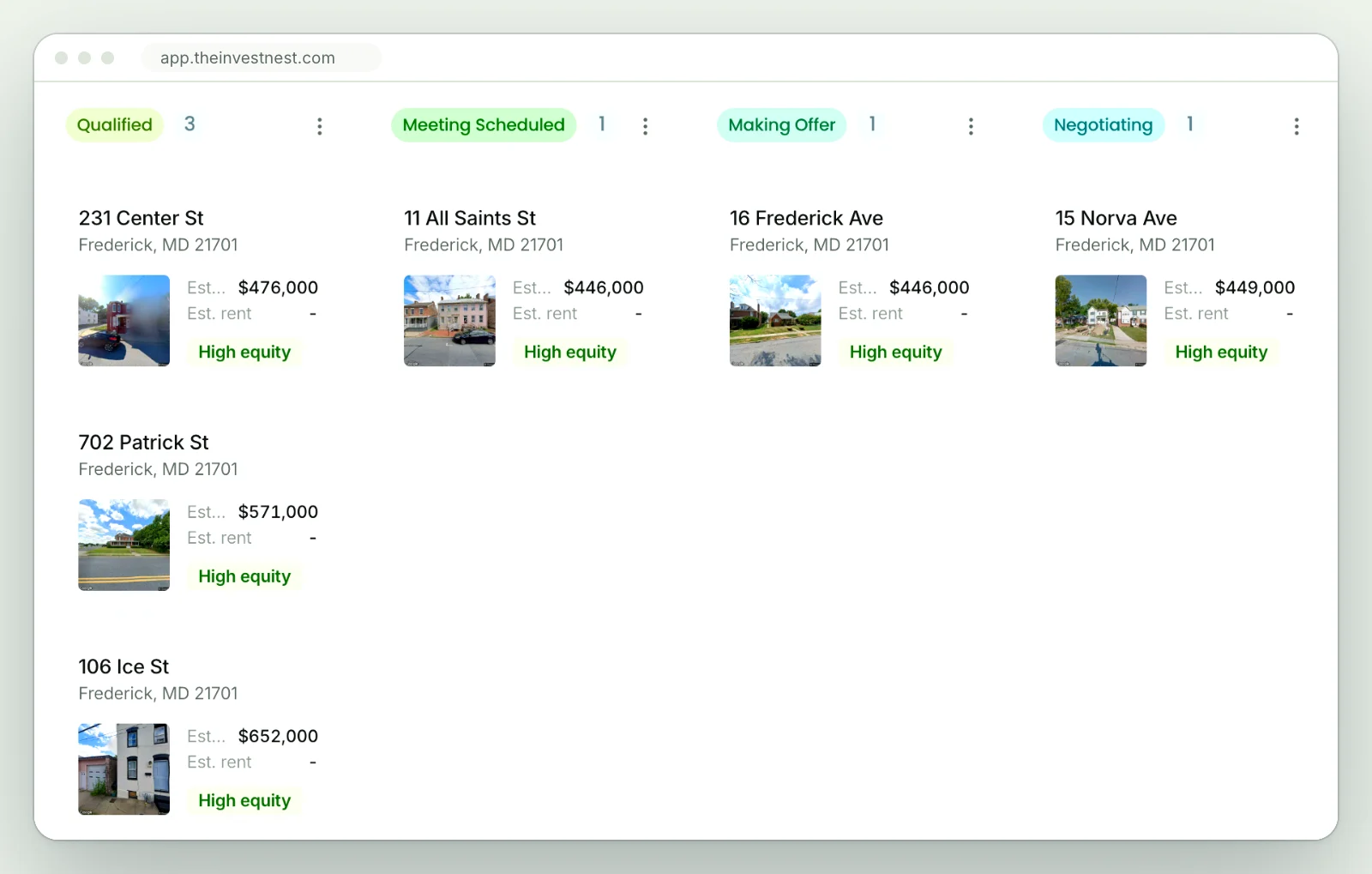
Start with the numbers that carry a high phone quality score, and use the do-not-call flags to know who not to call. Leave notes as you call, tag each lead's status, and star the ones worth a second look. When a lead turns into a deal, add it to your pipeline, drag and drop it between the stages, and rename the stages to match how you close: a wholesale flow, a flip timeline, a BRRRR sequence. Closed deals move to your portfolio.
What should you check before you call a pre-foreclosure owner?
Open the property record and go to the Distress tab. It shows whether the property is in pre-foreclosure, the notice type, and the foreclosure records on file, including the original loan amount, the auction date, and the opening bid. Then check the mortgage and the equity on the same record.
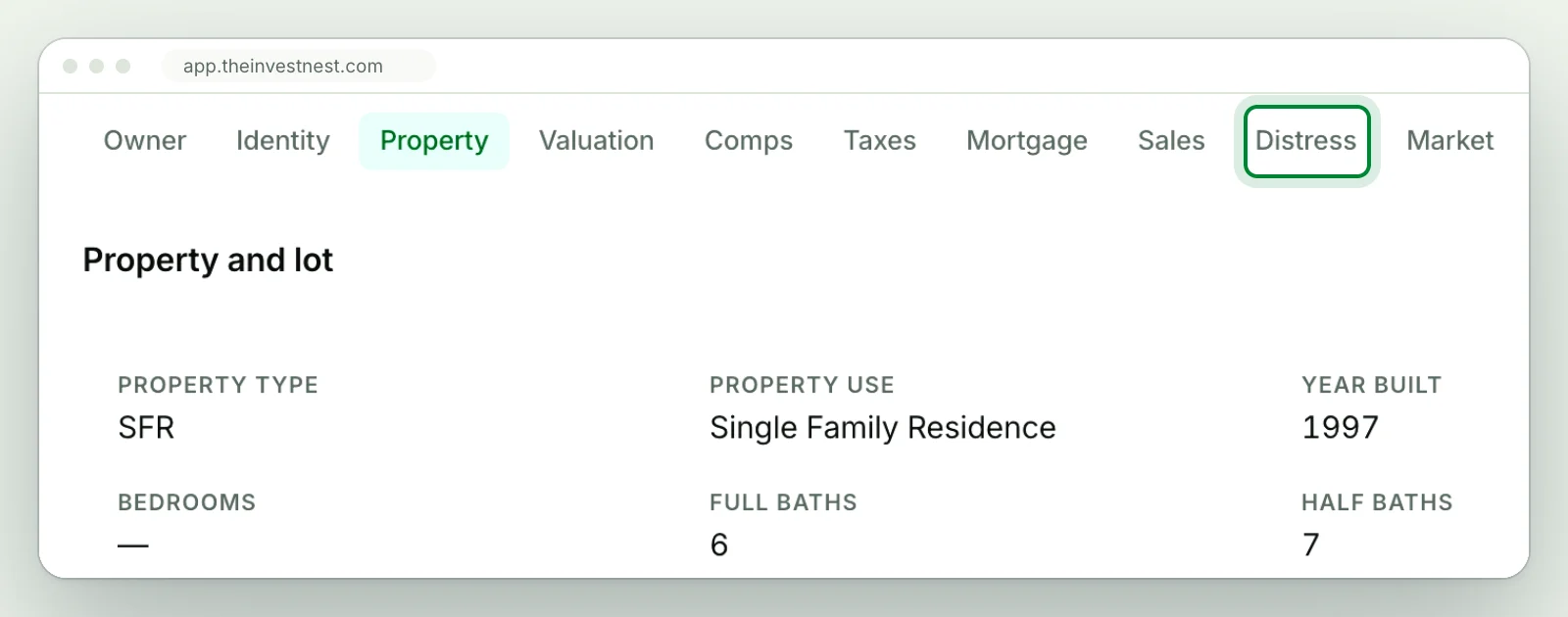
Every record carries over 100 data points: estimated value and equity, mortgages, sales history, comps, and taxes. After a skip trace, linked properties shows the other properties tied to the same owner, so you know whether you are calling a homeowner or a landlord. If they own other properties, they might want to sell those too.
Owners in pre-foreclosure hear from a lot of investors, so know the loan, the equity, and the auction date before you dial. Connie found her first wholesale deal this way:
I found a pre-foreclosure lead using the Nest Leads filter, skip traced the owner, and had them on the phone in 10 minutes. Closed my first wholesale deal two weeks later.
Connie, buy and hold investor
How often should you pull a new pre-foreclosure list?
Once a month. Lenders file new notices every month, so run the same search, look back just 1 month to see only the newest notices, and save those owners to a new list. Last month's list is still on your lead lists page, because you saved it.
What does it cost to find pre-foreclosures with The Invest Nest?
$65 a month. The one plan includes 21+ Nest Leads motivated seller indicators, Pre-Foreclosure among them, over 100 filters, 5,000 lead saves a month, 500 skip traces a month, and a drag and drop deal pipeline. Extra skip traces you buy are 10 cents each and never expire.
Start with a free 7 day trial. It includes 25 free skip traces and 100 lead saves, enough to pull a pre-foreclosure list in your own market and skip trace the first owners before you pay anything.
Sources: ATTOM, August 2026 U.S. Foreclosure Market Report, published September 17, 2026 (attomdata.com).